JUnit怎么添加Gradle依赖?Groovy脚本配置示例
在gradle项目中添加junit依赖,需要在构建脚本的dependencies块中声明对应的库。对于junit 5(jupiter),推荐使用testimplementation配置项引入org.junit.jupiter:junit-jupiter坐标,这样能确保测试代码仅在编译和运行测试时可用,而不影响主程序包体积。若需兼容旧版junit 4,可额外添加junit:junit依赖并启用vintage引擎。

如何配置Test任务以支持JUnit 5?
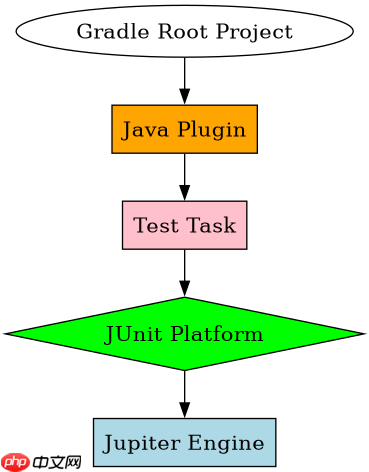
为了让Gradle正确识别并执行JUnit 5编写的测试用例,必须显式配置test任务,指定其使用的测试框架为JunitPlatform。默认情况下,新版Gradle可能未自动启用此引擎,因此需在tasks.withType(Test)闭包中设置useJUnitPlatform()方法。这一步骤确保了测试运行时能够扫描到@Test注解并调用相应的断言机制。

如果测试类使用了Mockito,需要额外添加什么依赖?
当测试逻辑涉及模拟对象时,通常结合使用mockito-junit-jupiter扩展库。该库提供了对@Mock、@InjectMocks等注解的支持,并能自动初始化字段。只需在testImplementation中添加org.mockito:mockito-junit-jupiter即可,无需单独配置插件,因为JUnit Platform会自动发现并注册这些扩展。
plugins {
    id 'java'
}

repositories {
    mavenCentral()
}

dependencies {
    // JUnit 5 核心依赖
    testImplementation 'org.junit.jupiter:junit-jupiter:5.9.3'
    // Mockito 支持 JUnit 5
    testImplementation 'org.mockito:mockito-junit-jupiter:5.3.1'
}

tasks.withType(Test) {
    useJUnitPlatform()
}

// 预期输出:
// 运行 ./gradlew test 后,控制台显示 BUILD SUCCESSFUL
// 测试报告位于 build/reports/tests/test/index.html