Livewire 4可以先把用户选择的图片放在临时存储中,通过temporaryUrl显示签名预览,再经过验证保存到Laravel私有磁盘。以下面向PHP 8.6上的既有Livewire项目,要求登录访问和可写的local磁盘;临时预览链接不等于永久公开图片地址。
明确临时预览和永久文件的区别
1、确认现有项目的local磁盘确实指向非公开目录,且没有把该目录映射为公共静态目录。检查composer check-platform-reqs及项目上传大小限制,服务端限制不能仅靠html的accept属性。
2、temporaryUrl只支持图片MIME类型,并有签名与临时目录范围限制。不要把用户提交的文件路径当成这个方法的参数。
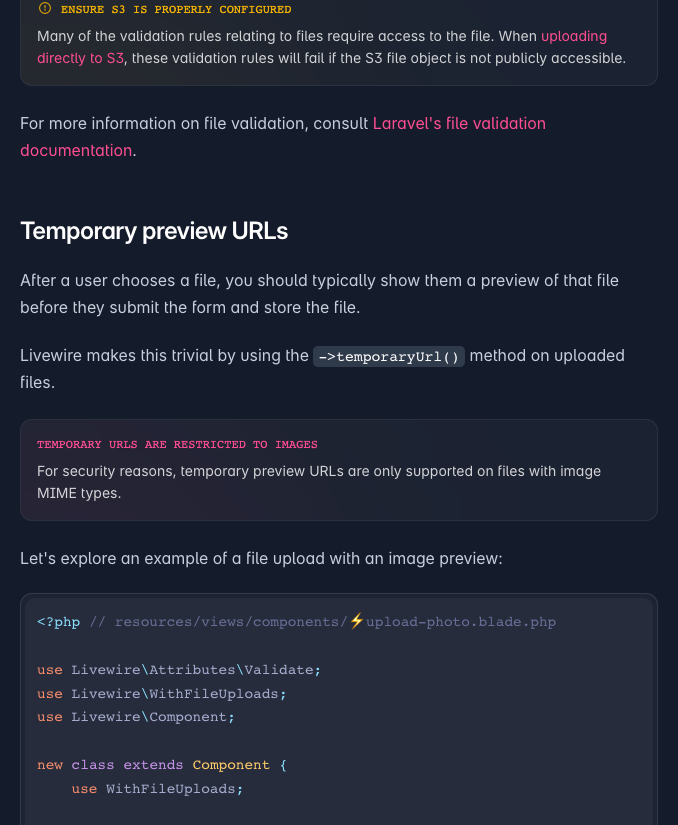
Livewire临时签名预览与图片类型限制
验证后保存到私有磁盘
1、把以下内容放进Livewire 4单文件组件,路由继续经过项目登录中间件。save中再检查登录状态,示例以1024KB为上限。
<?php
use Livewire\Attributes\Validate;
use Livewire\Component;
use Livewire\WithFileUploads;
new class extends Component {
    use WithFileUploads;
    #[Validate('required|image|max:1024')]
    public $photo;
    public bool $saved = false;
    public function save(): void {
        abort_unless(auth()->check(), 403);
        $this->validate();
        $path = $this->photo->store(path: 'private-photos', options: 'local');
        if (!$path) throw new RuntimeException('图片保存失败');
        // 需要关联业务记录时,在这里按当前用户保存$path。
        $this->photo = null;
        $this->saved = true;
    }
};
?>
<form wire:submit="save">
    <input type="file" wire:model="photo" accept="image/*">
    @if ($photo) <img  src="{{ $photo- alt="在PHP 8.6项目预览上传图片:Livewire 4校验与私有保存" >temporaryUrl() }}" alt="待保存图片预览"> @endif
    @error('photo') <p>{{ $message }}</p> @enderror
    <button type="submit" wire:loading.attr="disabled" wire:target="photo,save">保存</button>
    @if ($saved) <p>图片已保存到私有存储。</p><div class="aritcle_card flexRow">
                                                        <div class="artcardd flexRow">
                                                                <a class="aritcle_card_img" href="/xiazai/skill13222" title="Build MCP servers and clients for PHP applications with the official PHP SDK"><img
                                                                                src="https://img.php.cn/upload/skill/001/246/273/6adaf20e352aa140.jpg" alt="Build MCP servers and clients for PHP applications with the official PHP SDK" ></a>
                                                                <div class="aritcle_card_info flexColumn">
                                                                        <a href="/xiazai/skill13222" title="Build MCP servers and clients for PHP applications with the official PHP SDK">Build MCP servers and clients for PHP applications with the official PHP SDK</a>
                                                                        <p>使用官方Model Context Protocol PHP SDK将PHP应用程序功能暴露为MCP工具、资源和提示,用于代理工作流。</p>
                                                                </div>
                                                                <a href="/xiazai/skill13222" title="Build MCP servers and clients for PHP applications with the official PHP SDK" class="aritcle_card_btn flexRow flexcenter"><b></b><span>下载</span> </a>
                                                        </div>
                                                </div><p><span>立即学习</span>“<a href="https://pan.quark.cn/s/7fc7563c4182" style="text-decoration: underline !important; color: blue; font-weight: bolder;" rel="nofollow" target="_blank">PHP免费学习笔记(深入)</a>”;</p> @endif
</form>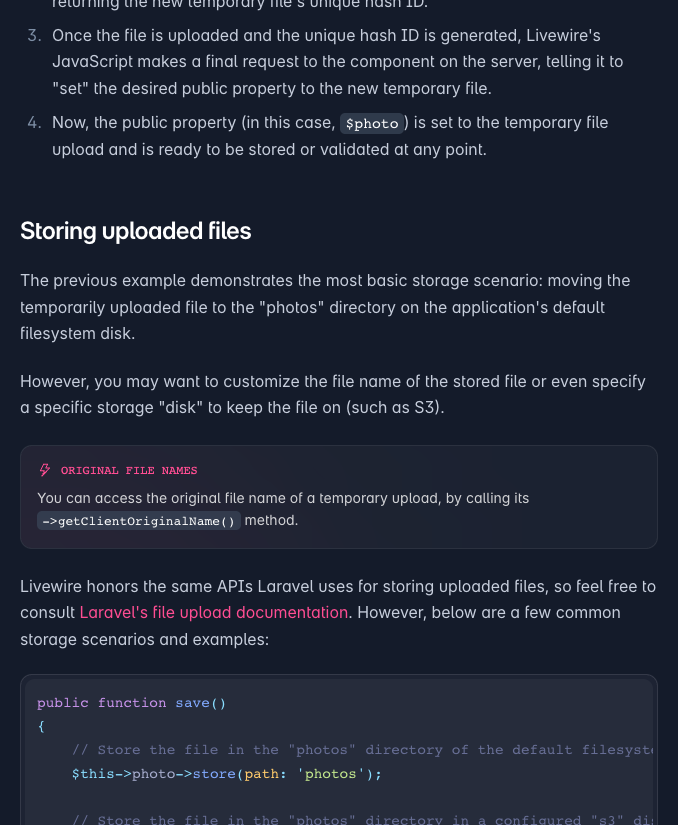
Livewire上传文件的存储磁盘与路径选项
2、示例只完成文件保存;若需要用户下次仍能读取,应把相对路径关联到有权限的业务记录,而不是把服务器绝对路径交给客户端。
检查失败和后续访问
分别测试非图片、超限图片和正常图片,确认错误显示在对应字段。临时文件上传成功不代表永久store已成功,保存失败应保留错误而不显示完成。
私有图片后续应经鉴权下载或受控临时URL访问,不使用public磁盘链接替代。若改用S3直接临时上传,还要重新核对文件验证的读取条件和S3临时对象清理规则,不能照搬本地目录配置。