








在表单提交时发送ajax请求,核心做法是监听表单的 submit 事件,调用 event.preventdefault() 阻止默认的页面跳转行为,然后使用 fetch api 将数据发送到服务器。这样做可以保持当前页面状态,实现无刷新交互。

如何获取表单数据并配置 fetch 请求
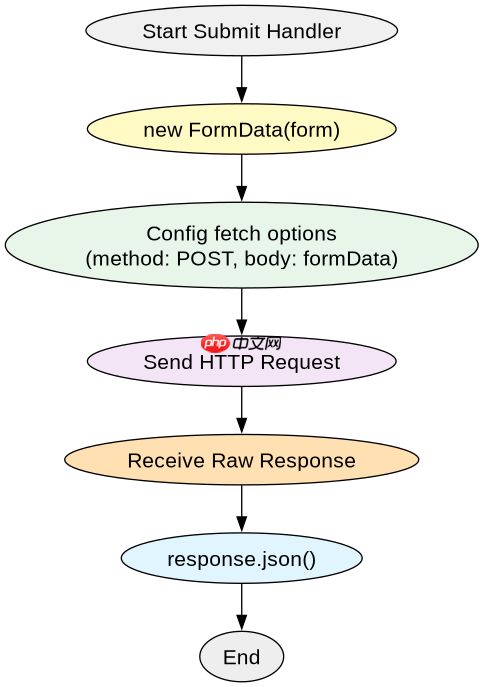
获取表单数据通常通过 FormData 对象自动收集,它可以直接读取表单中的输入字段。配置 fetch 请求时,需要指定 method 为 POST,并将 FormData 实例作为 body 参数传入,这样浏览器会自动设置正确的 Content-Type 头(包含 boundary)。
const form = document.getElementById('myForm');
form.addEventListener('submit', function(event) {
    event.preventDefault(); // 阻止默认提交
    const formData = new FormData(form);

    fetch('/api/submit', {
        method: 'POST',
        body: formData
    })
    .then(response => response.json())
    .then(data => console.log('Success:', data))
    .catch(error => console.error('Error:', error));
});上述代码中,FormData 自动捕获了 <input> 和 <textarea></textarea> 的值。如果服务器期望 JSON 格式,则需要手动序列化数据并设置 headers 为 {'Content-Type': 'application/json'}。

立即学习“Java免费学习笔记(深入)”;
如何处理 AJAX 请求的成功与失败响应
处理响应时,应先检查 response.ok 属性来判断 HTTP 状态码是否在 200-299 之间。如果成功,解析 JSON 数据;如果失败,抛出错误以便在 catch 块中统一处理。这种链式调用方式能清晰地区分网络错误和业务逻辑错误。

// 修改后的 fetch 部分
fetch('/api/submit', {
    method: 'POST',
    body: formData
})
.then(response => {
    if (!response.ok) {
        throw new Error('Network response was not ok');
    }
    return response.json();
})
.then(data => {
    console.log('Success:', data);
    // 更新 UI 或重定向
})
.catch(error => {
    console.error('There has been a problem with your fetch operation:', error);
});
如何在提交过程中显示加载状态以防止重复提交
在发起请求前禁用提交按钮并显示加载指示器,可以在 finally 块中恢复按钮状态。这确保了无论请求成功还是失败,用户界面都会回到初始状态,避免用户因等待而重复点击。
const submitBtn = document.querySelector('button[type="submit"]');
form.addEventListener('submit', function(event) {
    event.preventDefault();
    submitBtn.disabled = true;
    submitBtn.textContent = 'Submitting...';

    const formData = new FormData(form);

    fetch('/api/submit', {
        method: 'POST',
        body: formData
    })
    .then(response => {
        if (!response.ok) throw new Error('Request failed');
        return response.json();
    })
    .then(data => console.log('Success:', data))
    .catch(error => console.error('Error:', error))
    .finally(() => {
        submitBtn.disabled = false;
        submitBtn.textContent = 'Submit';
    });
}); 
















