


必须用Prompt Matrix插件一键生成三平台极简天气App界面,自动匹配iOS/HIG、Material Design 3、Windows Fluent Design的字体、尺寸、控件与安全区,禁用PS后期调整。
☞☞☞AI 智能聊天, 问答助手, AI 智能搜索, 多模态理解力帮你轻松跨越从0到1的创作门槛☜☜☜
你需要为同一款App的极简界面生成适配iOS人机界面指南、Material Design规范、Windows Fluent Design三套视觉风格版本,每版必须自动匹配平台专属控件逻辑、色彩系统与留白节奏,不能靠后期PS调整或手动改提示词重跑。
用Prompt Matrix一键分发平台化UI提示词
打开WebUI → 切换到“txt2img”标签页 → 在正向提示词框中输入主干+平台后缀矩阵:
minimalist mobile app interface for weather forecast, clean typography, monochrome icons, ample white space, no shadows, no gradients | iOS Human Interface Guidelines, San Francisco font, rounded corners, 1080x2400px, status bar height 50px | Material Design 3, Roboto font, dynamic color system, 1242x2688px, notch-safe zone | Windows Fluent Design, Segoe UI font, acrylic blur effect, 1080x1920px, title bar height 48px
确保“Prompt Matrix”插件已启用(若未安装:Extensions → Load from URL → 粘贴https://github.com/db0/sd-webui-prompt-matrix → Install)。
点击生成后,WebUI将按|拆解为4列:第1列为基底图,后3列分别对应iOS、Material Design、Fluent Design三平台输出。每张图自动采用对应字体、像素密度、安全区域与控件圆角参数,主体布局(天气图标+温度数字+滚动卡片)完全一致。
用Dynamic Prompts绑定平台UI组件库
方法一:花括号轮换平台专属控件关键词组
在正向提示词中写入:
minimalist app dashboard, {iOS: SF Symbols icons, tab bar with 5 items, status bar icons, 1pt stroke weight} | {Material: Material Icons, bottom navigation bar, floating action button, 2dp elevation} | {Fluent: Fluent System Icons, command bar, acrylic background, 2px corner radius} clean layout, centered content, white background, zero padding —ar 9:19
【必须关闭“Always split prompt”选项】,否则花括号会被当作普通字符,无法触发平台关键词替换。
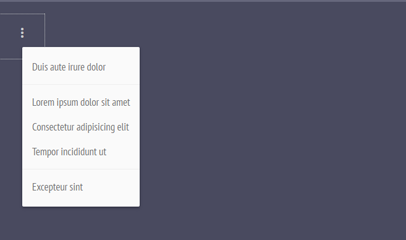
menu.js是一款Material Design风格的jquery下拉菜单插件。通过menu.js插件,你可以非常轻松的制作出Material Design风格的下拉菜单或下拉列表。 使用方法 在页面中引入样式文件menu.css和jquery.min.js、menu.js文件。
方法二:CSV模板注入平台UI规则
编辑styles.csv文件,在末尾新增三行:
iOSApp,"SF Symbols, tab bar, status bar, 1080x2400, San Francisco","text, logo, watermark, blurry"
MD3App,"Material Icons, bottom nav, FAB, 1242x2688, Roboto","photorealistic, grain, texture, shadow"
FluentApp,"Fluent Icons, command bar, acrylic blur, 1080x1920, Segoe UI","lowres, jpeg artifacts, deformed"
锁定极简UI的底层约束条件
第一步:在所有平台提示词开头强制插入【front view, centered composition, white background, no perspective】。
不加这四项,AI会默认调用产品摄影权重,生成带斜角投影、微倾构图、浅灰渐变背景的图——这直接破坏极简UI的平面性。
第二步:删除所有空间暗示词——立刻移除“studio lighting”“product mockup”“on iPhone screen”“floating device frame”。这些词会触发模型加载预训练中的设备渲染权重,导致白底被替换成手机壳阴影或环境反射。
第三步:对文字元素单独约束。写入【vector text, no kerning error, perfect letter spacing, 100% legibility at 12pt】。漏掉“100% legibility at 12pt”会导致AI生成模糊小字号文字,而iOS/MD3/Fluent均要求最小可读字号为11–12pt。
第四步:在负面提示词中逐字粘贴以下组合:
text distortion, misaligned grid, inconsistent spacing, blurred type, pixelated icon, gradient fill, drop shadow, bevel, emboss, reflection, texture, pattern, wood grain, concrete, blur, bokeh, depth of field, human hand, finger, studio setup, wireframe, sketch lines。
【text distortion, misaligned grid, blurred type三项不可删减】,它们是极简UI被污染的最高频源头。













