








import() 动态导入怎么实现模块日志
通过 import() 函数返回的 promise 对象,在 then 回调中记录加载时间并获取模块内容。调用时传入模块路径,成功时计算耗时并输出模块导出值,失败时捕获错误信息。

如何封装带重试机制的动态导入
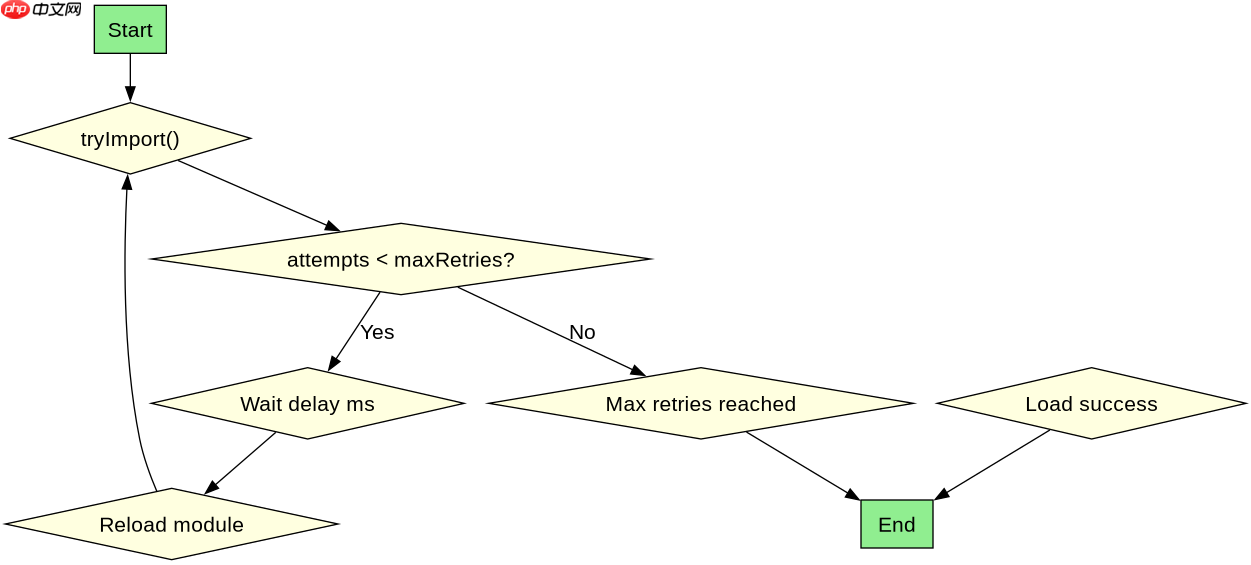
在 Promise 链中添加 catch 块处理异常,结合 setTimeout 实现延迟重试。设置最大重试次数和间隔时间,每次失败后等待指定毫秒再重新调用 import()。

FilePond 灵活的 JavaScript 文件上传库
下载
FilePond 是一个 JavaScript 文件上传库,支持通过拖拽、粘贴和 API 方式处理文件、目录、URL 和 Data URI。它包含内置的图像优化功能、异步分块上传功能,并提供了适用于 React、Vue、Angular 和 Svelte 的适配器。
基于程序中某个输入、条件或结果的具体问题
当模块路径不存在或网络中断时,import() 会抛出 TypeError 或 NetworkError。此时重试机制会耗尽所有尝试次数并最终拒绝 Promise,不会无限循环。
立即学习“Java免费学习笔记(深入)”;
function dynamicImportWithRetry(modulePath, maxRetries = 3, delay = 1000) {
  let attempts = 0;

  function tryImport() {
    attempts++;
    const startTime = performance.now();
    console.log(`Attempt ${attempts}: Loading ${modulePath}`);

    return import(modulePath)
      .then(module => {
        const endTime = performance.now();
        const duration = (endTime - startTime).toFixed(2);
        console.log(`Success: ${modulePath} loaded in ${duration}ms`);
        console.log('Module exports:', module);
        return module;
      })
      .catch(error => {
        console.error(`Failed: ${error.message}`);
        if (attempts < maxRetries) {
          console.log(`Retrying in ${delay}ms...`);
          return new Promise(resolve => setTimeout(resolve, delay))
            .then(() => tryImport());
        } else {
          console.error('Max retries reached. Import failed.');
          throw error;
        }
      });
  }

  return tryImport();
}

// 使用示例
dynamicImportWithRetry('./utils/helper.js', 3, 500); 

















