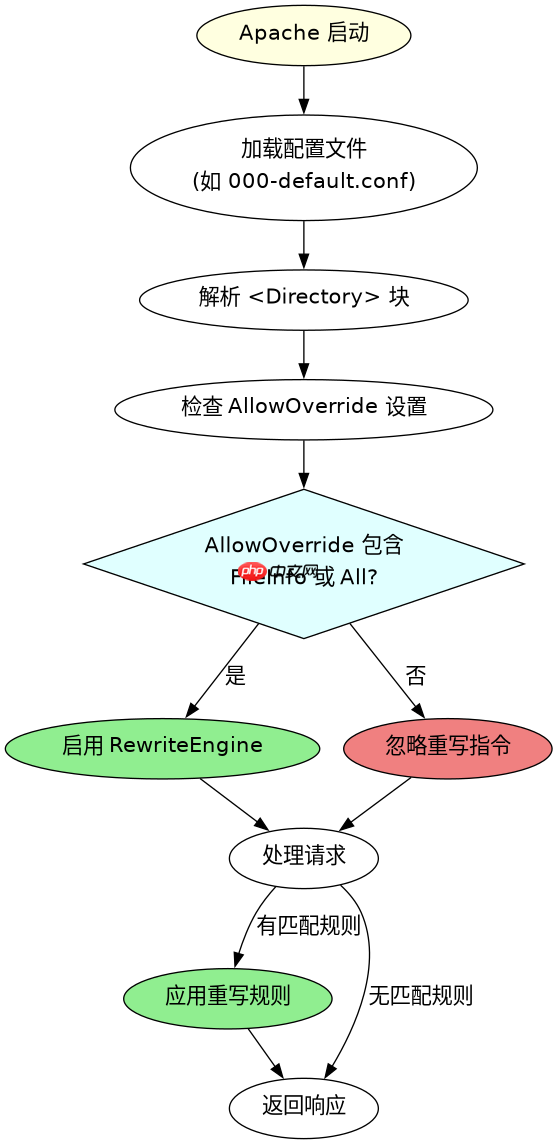
在 apache 的 <directory></directory> 配置块中开启重写功能,需要在该块内添加 rewriteengine on 指令。这通常用于允许特定目录下的 .htaccess 文件生效或直接在该上下文中应用重写规则。确保对应的 allowoverride 设置为 all 或包含 fileinfo,否则即使写了 rewriteengine on 也可能因权限不足而失效。

如何验证 RewriteEngine 是否生效
要验证 RewriteEngine 是否在当前上下文中成功开启,最直接的方法是检查 Apache 的错误日志或使用 a2enmod rewrite 确认模块已加载。如果配置正确但规则未执行,通常是因为 AllowOverride 设置不当或模块未启用。通过查看 /var/log/apache2/error.log 可以捕获具体的配置解析错误。
# /etc/apache2/sites-available/000-default.conf
<VirtualHost *:80>
    ServerName example.com
    DocumentRoot /var/www/html

    <Directory /var/www/html>
        Options Indexes FollowSymLinks
        AllowOverride All
        Require all granted

        # 在此处开启重写引擎
        RewriteEngine On

        # 示例规则:将 /old-page 重定向到 /new-page
        RewriteRule ^old-page$ /new-page [R=301,L]
    </Directory>

    ErrorLog ${APACHE_LOG_DIR}/error.log
    CustomLog ${APACHE_LOG_DIR}/access.log combined
</VirtualHost>上述配置中,AllowOverride All 是关键,它允许 .htaccess 文件中的指令覆盖服务器配置。如果仅使用 <directory></directory> 块内的 RewriteEngine On,则无需依赖 .htaccess,但必须确保 AllowOverride 至少包含 FileInfo 才能识别重写指令。重启 Apache 服务后,访问 /old-page 应返回 301 重定向至 /new-page。

通过Apache Tika Server REST API从1400多种文件格式中提取文本和元数据。处理PDF、DOCX、PPTX、电子邮件归档以及带有MIME类型检测的嵌入式文档提取。
基于 AllowOverride 设置的冲突排查
当 RewriteEngine On 在 <directory></directory> 中设置但未生效时,最常见的原因是 AllowOverride 被设置为 None 或仅包含 Options。在这种情况下,Apache 会忽略所有重写相关的指令。解决方法是将 AllowOverride 修改为 All 或明确指定 FileInfo。此外,需确保 mod_rewrite 模块已通过 a2enmod rewrite 启用,并在重启 Apache 后生效。

# 检查 mod_rewrite 是否启用
apache2ctl -M | grep rewrite

# 如果未显示,启用模块
sudo a2enmod rewrite

# 重启 Apache 使配置生效
sudo systemctl restart apache2
通过运行 apache2ctl -M 可以确认 rewrite_module 是否已加载。若未加载,使用 a2enmod rewrite 启用它。随后,检查 <directory></directory> 块中的 AllowOverride 设置,确保其允许重写指令。最后,重启 Apache 服务以应用更改。这一流程确保了重写引擎在正确的上下文中被激活,并避免了因模块缺失或权限不足导致的配置失效。