本篇文章给大家带来的内容是介绍原生js实现提交评论,显示评论的效果的方法(代码示例) 。有一定的参考价值,有需要的朋友可以参考一下,希望对你们有所帮助。
<!DOCTYPE html>
<html>
<head>
    <meta charset="UTF-8">
    <style>

        #box{
            width: 900px;
            margin: 0 auto;
        }
        #text{
            width: 900px;
            height: 400px;
            margin: 0 auto;
            background-color: #fbe1c8;
            margin-top: 60px;
            outline: none;
            border-radius: 8px;
            border:2px solid #e59a56;
            overflow: hidden;
        }
        #tup{
            float: right;
            display: block;
            margin-top: 10px;
            margin-left: 20px;
            width: 60px;
            height: 36px;
            background-color: #e69b57;
            font-size: 18px;
            line-height: 36px;
            border-radius: 6px;
            text-align: center;
            color: #ffffff;
            cursor:pointer;
        }
        #wad{
            margin-top: 60px;
            width: 880px;
        }
        #wad p{
            font-size: 18px;
            line-height: 24px;
            border-bottom: 1px dashed #e69b57;
            word-wrap: break-word;
        }

    </style>
</head>
<body>
    <div id="box">
        <div id="text" contenteditable="true"></div>
        <span id="tup">提交</span>
        <div id="wad"></div>
    </div>
    <script>
        let Text = document.getElementById('text'),
            Tup = document.getElementById("tup"),
            Pl = document.getElementById("wad");
        Tup.onclick = function(){
                Li = "<p>" + Text.innerHTML + "</p><div class="aritcle_card flexRow">
                                                        <div class="artcardd flexRow">
                                                                <a class="aritcle_card_img" href="/xiazai/skill13529" title="KeystoneJS 无头 CMS,带有 GraphQL API 和 React 管理界面"><img
                                                                                src="https://img.php.cn/upload/skill/001/246/273/6adaf20dbae7c507.jpg" alt="KeystoneJS 无头 CMS,带有 GraphQL API 和 React 管理界面" ></a>
                                                                <div class="aritcle_card_info flexColumn">
                                                                        <a href="/xiazai/skill13529" title="KeystoneJS 无头 CMS,带有 GraphQL API 和 React 管理界面">KeystoneJS 无头 CMS,带有 GraphQL API 和 React 管理界面</a>
                                                                        <p>KeystoneJS 是一个功能强大的开源无头 CMS,适用于 Node.js,它根据您的模式定义自动生成 GraphQL API 和基于 React 的管理界面。由 Thinkmill 构建,支持 PostgreSQL 和 SQLite、自定义访问控制、钩子、虚拟字段和基于文档的富文本编辑。</p>
                                                                </div>
                                                                <a href="/xiazai/skill13529" title="KeystoneJS 无头 CMS,带有 GraphQL API 和 React 管理界面" class="aritcle_card_btn flexRow flexcenter"><b></b><span>下载</span> </a>
                                                        </div>
                                                </div>";
                Text.innerHTML = "";
                Pl.innerHTML += Li ;
            }

    </script>
</body>
</html>
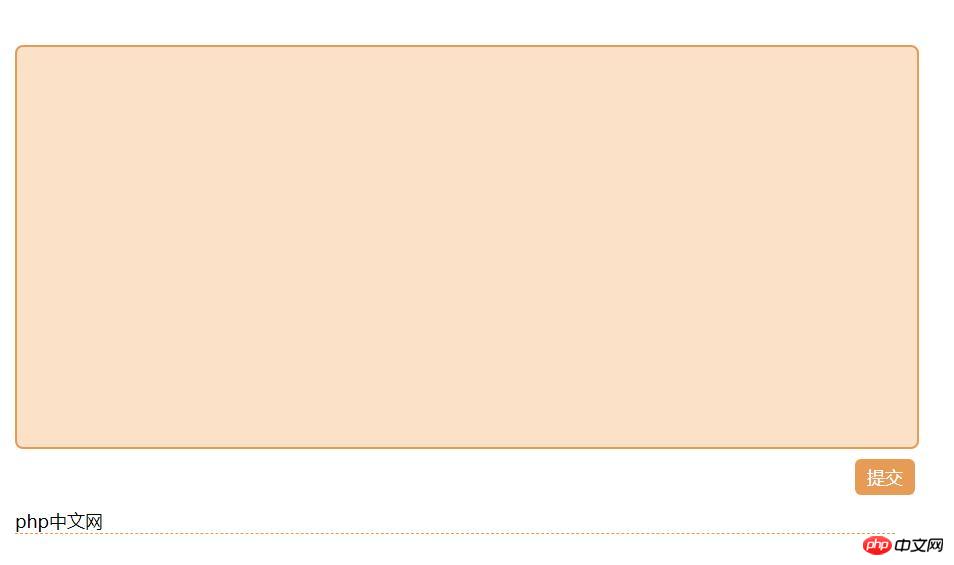
效果图: