








使用 bytebuffer 的 get(byte[] dst) 方法可以将缓冲区中剩余的数据读取到字节数组中。调用该方法时,缓冲区会自动更新其位置指针(position),读取完成后,数组将包含从当前位置开始直到缓冲区限制(limit)的所有字节。

如何指定读取的起始偏移量与长度
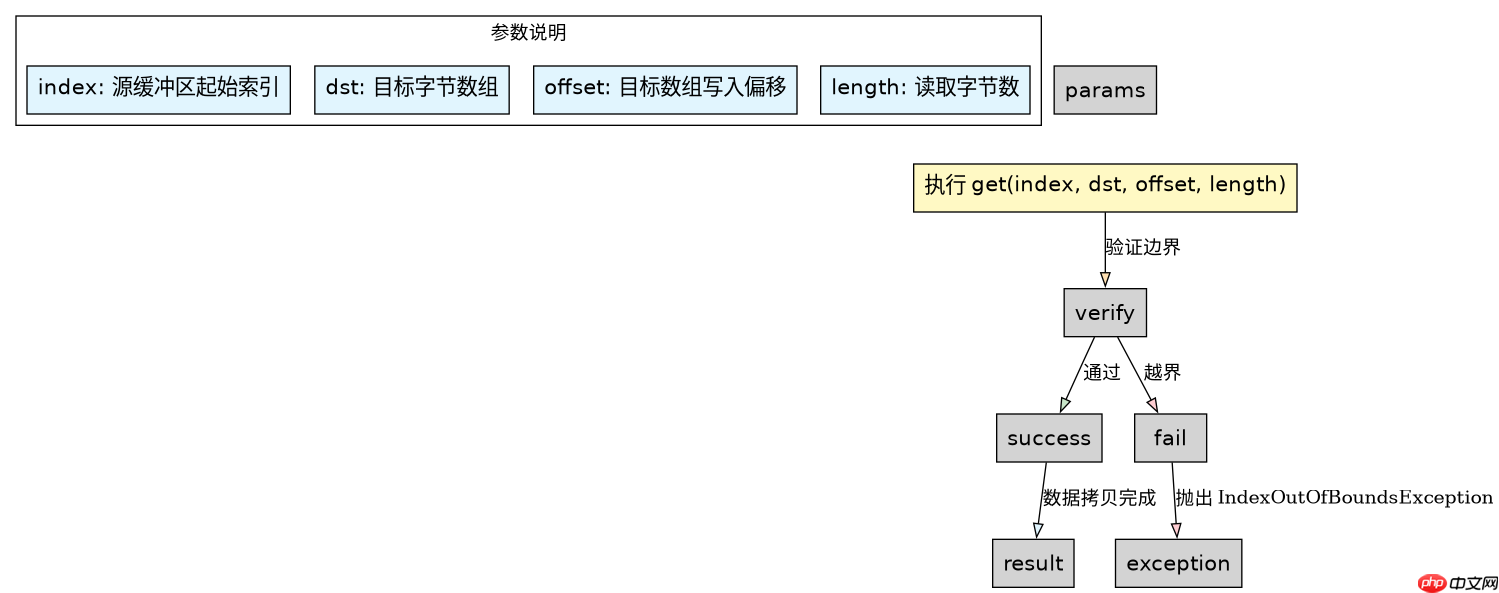
如果需要从缓冲区的特定位置读取数据,而不是从当前指针开始,应使用带参数的重载方法 get(int index, byte[] dst, int offset, int length)。这种方式不会改变缓冲区的内部状态(如 position 和 mark),适合需要多次读取或随机访问数据的场景。

Build Java agent transport gateways with Atmosphere
下载
使用Atmosphere构建通过WebSocket、SSE、gRPC、WebTransport、MCP、A2A和AG-UI流传输的JVM代理网关,并带有治理钩子。
import java.nio.ByteBuffer;

public class BufferGetDemo {
    public static void main(String[] args) {
        // 创建并填充一个 ByteBuffer
        byte[] data = {10, 20, 30, 40, 50};
        ByteBuffer buffer = ByteBuffer.wrap(data);

        // 演示 get(byte[]):从当前位置读取剩余所有数据
        byte[] result1 = new byte[buffer.remaining()];
        buffer.get(result1);
        System.out.println("Remaining bytes: " + java.util.Arrays.toString(result1));

        // 演示 get(index, dst, offset, length):指定位置读取
        byte[] result2 = new byte[2];
        // 从索引 1 开始读取,存入 result2 的起始位置,读取 2 个字节
        buffer.get(1, result2, 0, 2);
        System.out.println("Specified read: " + java.util.Arrays.toString(result2));
    }
}
读取操作会如何影响缓冲区的位置指针
在使用无参的 get(byte[] dst)方法后,缓冲区的 position 会增加所读取的字节数。如果读取的数量超过了缓冲区剩余的空间,将抛出 BufferUnderflowException。因此,在连续进行多次读取操作时,必须确保目标数组的大小不超过当前 remaining() 的值,或者在读取前手动调整 limit。
立即学习“Java免费学习笔记(深入)”;

import java.nio.ByteBuffer;

public class PositionCheck {
    public static void main(String[] args) {
        ByteBuffer buffer = ByteBuffer.allocate(10);
        for (int i = 0; i < 10; i++) {
            buffer.put((byte)i);
        }
        buffer.flip(); // 切换为读模式

        System.out.println("Initial position: " + buffer.position());
        byte[] temp = new byte[3];
        buffer.get(temp); // 读取 3 个字节
        System.out.println("Position after get: " + buffer.position());
        System.out.println("Remaining: " + buffer.remaining());
    }
} 


















