在 package.json 中,optionaldependencies 用于声明那些安装失败不应导致整个安装过程报错的依赖。写法与 dependencies 完全一致,只需将键名替换为 optionaldependencies 并填入包名和版本范围即可。
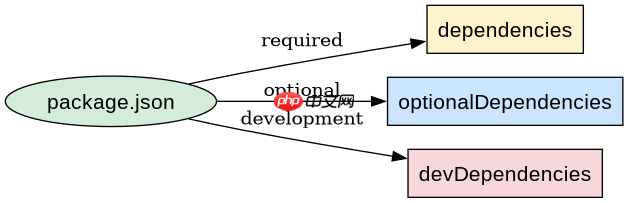
如何定义 optionalDependencies 字段
直接在 JSON 对象中添加 optionalDependencies 键,其值是一个对象,键为包名,值为语义化版本号字符串。例如:
{
  "name": "my-app",
  "version": "1.0.0",
  "optionalDependencies": {
    "fsevents": "^2.3.2"
  }
}
当运行 npm install 时,如果 fsevents 安装成功,它会被正常安装;如果安装失败(例如在非 macOS 系统上),npm 会打印警告但不会退出错误码,程序仍可继续运行。
optionalDependencies 与 dependencies 的区别
dependencies 中的包是强依赖,安装失败会导致 npm install 报错并中止。而 optionalDependencies 允许部分功能缺失。例如,一个使用原生模块优化的库可能在 Linux 上无法编译该模块,此时将其放入 optionalDependencies 可确保 Linux 用户仍能安装主包,只是某些高级功能不可用。

javascript-typescript-typescript-scaffold
下载
你是 TypeScript 项目架构专家,专注于脚手架搭建生产就绪的 Node.js 和前端应用。生成包含现代工具链(pnpm、Vite、Next.js)、类型
立即学习“Java免费学习笔记(深入)”;
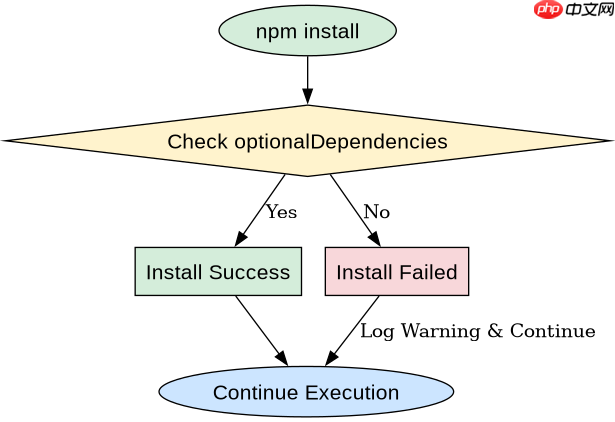
运行时如何检测 optionalDependencies 是否可用
由于可选依赖可能未安装,代码中必须通过 try-catch 或检查 require.resolve 来安全调用。以下是一个完整示例,展示如何在代码中处理这种情况:
// index.js
const fsevents = require('fsevents');

function watchFile(path) {
  if (typeof fsevents === 'undefined') {
    console.log('fsevents not available, using fallback polling.');
    // 使用轮询等降级方案
    return;
  }
  const watcher = fsevents(path, (filePath, events) => {
    console.log(filePath, events);
  });
  watcher.start();
}

watchFile('./src');
预期结果:在 macOS 上,若安装了 fsevents,则启动原生监听;在其他平台或未安装时,打印提示信息并使用降级逻辑。这确保了应用在不同环境下的健壮性。