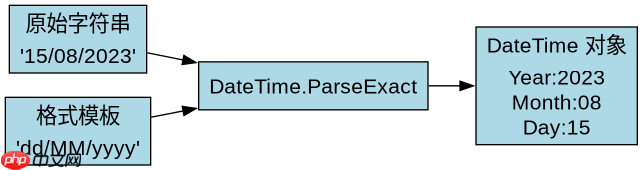
使用 datetime.parseexact 方法并传入精确的格式字符串,可以强制解析器按照指定顺序处理月份和日期。例如,若输入为 "dd/mm/yyyy",只需将对应格式模板作为参数传入,即可避免系统默认文化背景导致的歧义。
如何根据实际输入格式编写解析代码?
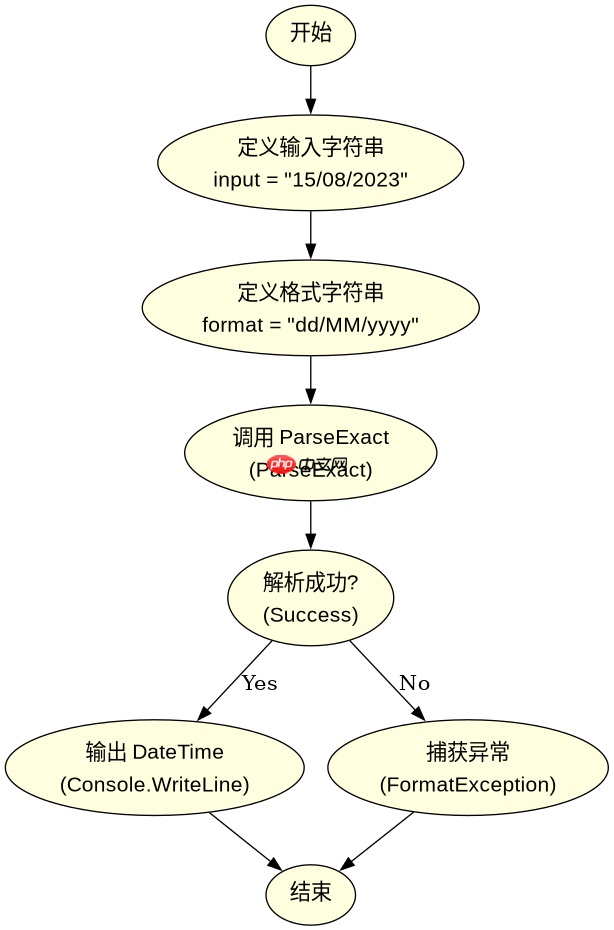
直接调用 DateTime.ParseExact 并提供与输入完全匹配的格式字符串。该方法会严格匹配字符位置,不再依赖当前线程的文化设置(如 en-US 或 zh-CN),从而确保月份和日期的位置固定不变。

using System;
using System.Globalization;

class Program
{
    static void Main()
    {
        string input = "15/08/2023"; // 假设这是 dd/MM/yyyy 格式
        string format = "dd/MM/yyyy";

        try
        {
            DateTime result = DateTime.ParseExact(input, format, CultureInfo.InvariantCulture);
            Console.WriteLine(result); // 输出: 8/15/2023 12:00:00 AM (取决于控制台显示)
        }
        catch (FormatException)
        {
            Console.WriteLine("格式不匹配");
        }
    }
}
如果输入包含时间部分该如何处理?
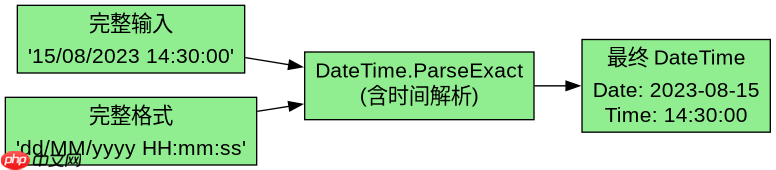
在格式字符串中追加时间部分的占位符,如 HH:mm:ss,并在输入字符串中提供相应的时间数据。解析器会将时间部分一并解析到 DateTime 对象中,保持日期部分的顺序约束依然有效。
using System;
using System.Globalization;

class Program
{
    static void Main()
    {
        string input = "15/08/2023 14:30:00";
        string format = "dd/MM/yyyy HH:mm:ss";

        DateTime result = DateTime.ParseExact(input, format, CultureInfo.InvariantCulture);
        Console.WriteLine(result.ToString("yyyy-MM-dd HH:mm:ss"));
    }
}
当输入格式不固定时如何验证解析结果?
通过检查解析后的 DateTime 对象的 Month 和 Day 属性值,可以验证解析是否符合预期。如果输入是 "01/02/2023",且格式指定为 "dd/MM/yyyy",则 Day 为 1,Month 为 2;若误用 "MM/dd/yyyy",则 Month 为 1,Day 为 2。这种显式检查能确认顺序是否被正确应用。