php 8.6读取大型xlsx时,可用openspout的工作表和行迭代器逐行处理,避免先收集整份表格。导入前校验目标表名、表头、单元格类型及行数上限,并在finally中关闭读取器;流式接口不会替你限制解压临时文件和导入副作用。
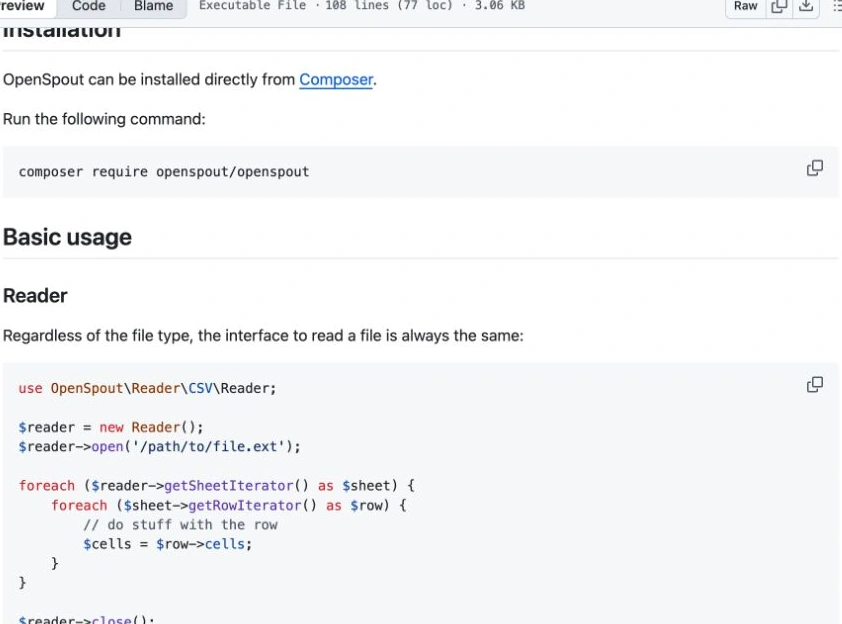
官方文档:Reader
安装明确支持8.6的版本
OpenSpout 5.15.3的PHP依赖范围包含~8.6.0。安装openspout/openspout:^5.15并执行composer check-platform-reqs,确保ZIP、XMLReader等扩展齐备。输入必须是本地已受控文件,并预留隔离、可写的临时目录空间。

Build MCP servers and clients for PHP applications with the official PHP SDK
下载
使用官方Model Context Protocol PHP SDK将PHP应用程序功能暴露为MCP工具、资源和提示,用于代理工作流。
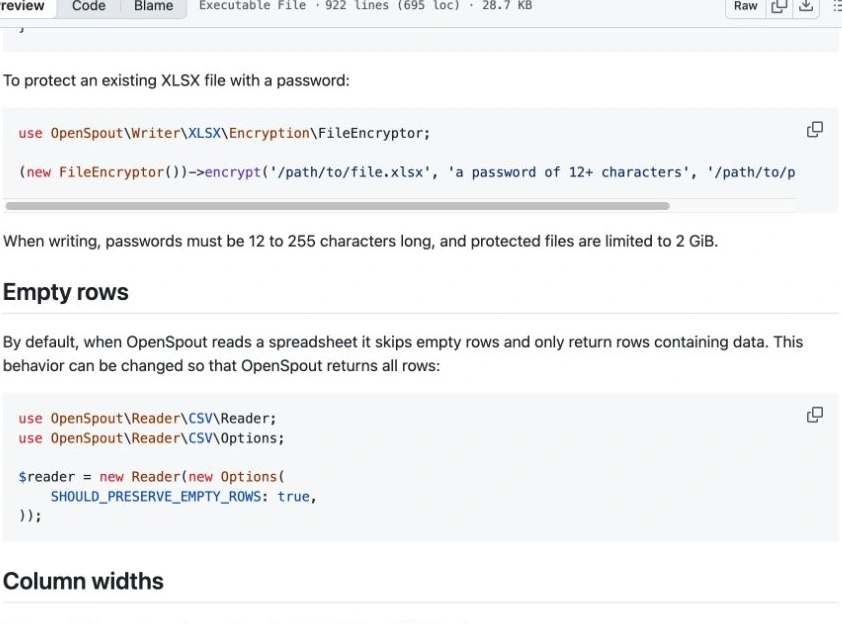
官方文档:Empty rows
只处理指定表格并限制记录数量
<?php
require __DIR__ . '/vendor/autoload.php';
use OpenSpout\Reader\XLSX\Reader;
$reader = new Reader();
$count = 0; $found = false;
try {
    $reader->open(__DIR__ . '/input.xlsx');
    foreach ($reader->getSheetIterator() as $sheet) {
        if ($sheet->getName() !== 'Inventory') { continue; }
        $found = true; $headerRead = false;
        foreach ($sheet->getRowIterator() as $row) {
            $values = $row->toArray();
            if (!$headerRead) {
                if ($values !== ['sku', 'quantity']) { throw new RuntimeException('Bad header'); }
                $headerRead = true; continue;
            }
            if (count($values) !== 2 || !is_string($values[0]) ||
                (!is_int($values[1]) && !is_float($values[1])) ||
                $values[1] < 0 || $values[1] > 1000000 || floor($values[1]) != $values[1]) {
                throw new RuntimeException('Invalid inventory row');
            }
            if (++$count > 100000) { throw new RuntimeException('Too many rows'); }
            // 在这里逐条交给已准备的业务导入器,不把全部行加入数组。
        }
        if (!$headerRead) { throw new RuntimeException('Missing header'); }
    }
    if (!$found) { throw new RuntimeException('Missing Inventory sheet'); }
} finally { $reader->close(); }
echo $count, " valid rows\n";
保留货号类型,决定失败后的业务策略
货号应在源表中保存为文本,否则前导零可能在读取之前已经丢失。默认读取会跳过空行,所以计数不是Excel物理行号;需要物理行定位时配置保留空行并另记索引。上述示例只校验,不写数据库;实际导入应明确分批提交还是整批回滚,不把部分写入当作完整成功。