








使用npoi库读取excel时,可以通过检查单元格的hyperlink属性来获取超链接地址。具体做法是遍历工作表中的单元格,判断其类型是否为hyperlink,如果是则提取其linktext或address属性。

NPOI中如何识别并提取超链接
在NPOI中,每个单元格都有一个Hyperlink属性,当单元格包含超链接时,该属性不为null。通过判断Hyperlink.Type是否为HyperlinkType.URL或HyperlinkType.File,可以确定超链接的类型,并进一步获取其地址。
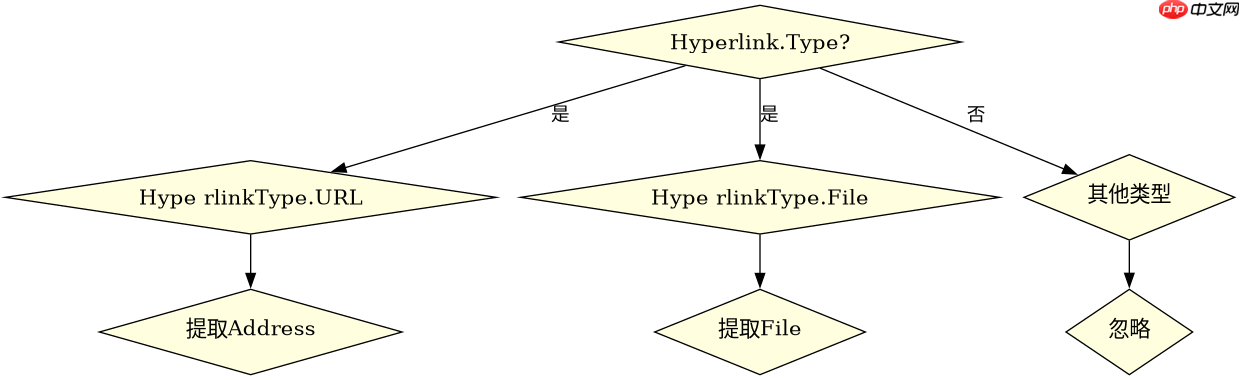

XSSFWorkbook workbook = new XSSFWorkbook("path/to/your/excel.xlsx");
ISheet sheet = workbook.GetSheetAt(0);
for (int rowIdx = 0; rowIdx <= sheet.LastRowNum; rowIdx++) {
    IRow row = sheet.GetRow(rowIdx);
    if (row == null) continue;
    for (int cellIdx = 0; cellIdx < row.LastCellNum; cellIdx++) {
        ICell cell = row.GetCell(cellIdx);
        if (cell != null && cell.Hyperlink != null) {
            string linkAddress = cell.Hyperlink.Address;
            Console.WriteLine($"Row {rowIdx}, Cell {cellIdx}: {linkAddress}");
        }
    }
}
Apache POI与NPOI的对比
Apache POI和NPOI在处理超链接时的逻辑相似,但API细节有所不同。Apache POI使用getCell().getHyperlink()方法,而NPOI直接使用cell.Hyperlink属性。两者都能有效提取超链接地址,但在处理复杂Excel文件时,NPOI可能更轻量级。
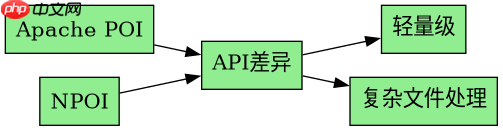
// Apache POI示例
Workbook workbook = WorkbookFactory.create(new File("path/to/your/excel.xlsx"));
Sheet sheet = workbook.getSheetAt(0);
for (Row row : sheet) {
    for (Cell cell : row) {
        Hyperlink hyperlink = cell.getHyperlink();
        if (hyperlink != null) {
            String linkAddress = hyperlink.getUri();
            System.out.println("Row " + row.getRowNum() + ", Cell " + cell.getColumnIndex() + ": " + linkAddress);
        }
    }
}
如何处理无超链接的单元格
在遍历单元格时,如果单元格没有超链接,其Hyperlink属性将为null。因此,在提取超链接地址前,必须检查Hyperlink属性是否不为null,以避免空引用异常。


















