








java 中处理时间戳与字符编码无关,因为 instant 是 utc 时区下的绝对时间点,不涉及任何本地化编码。要使用 instant 处理时间戳,应调用 ofepochmilli() 或 ofepochsecond() 方法将毫秒或秒数转换为对象,并通过 toepochmilli() 获取回数值。

Instant 如何从毫秒时间戳转换
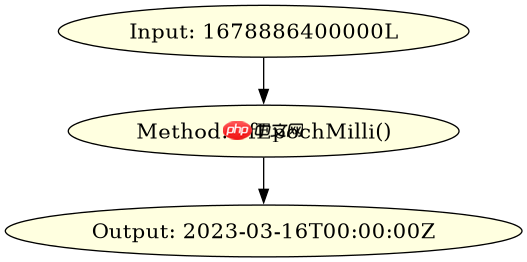
通过 Instant.ofEpochMilli() 可以直接将长整型的时间戳转换为 Instant 对象,该过程不依赖任何字符集或区域设置。
import java.time.Instant;

public class Main {
    public static void main(String[] args) {
        long timestamp = 1678886400000L;
        Instant instant = Instant.ofEpochMilli(timestamp);
        System.out.println(instant);
    }
}
运行上述代码会输出:2023-03-16T00:00:00Z。这证实了输入值被正确解析为 UTC 时间。
立即学习“Java免费学习笔记(深入)”;

Biome High-Performance JavaScript TypeScript Formatter and Linter
下载
Biome 是一个基于 Rust 的高性能工具链,适用于 JavaScript、TypeScript、JSX、JSON、CSS 和 GraphQL,它将格式化和 linting 统一到一个工具中。具有 97% 的 Prettier 兼容性以及超过 450 条 lint 规则,Biome 以显著更快的执行速度取代了 ESLint 和 Prettier。
Instant 如何转回毫秒时间戳
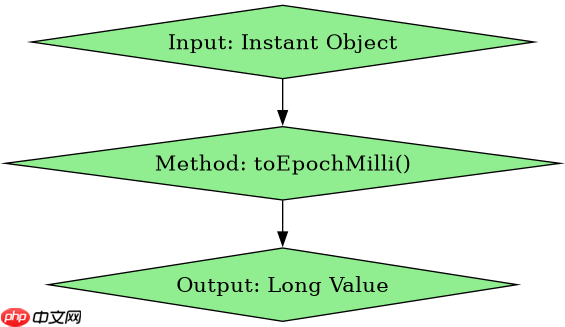
使用 toEpochMilli() 方法可以将 Instant 对象重新转换为毫秒级时间戳,这是双向转换的标准做法。
import java.time.Instant;

public class Main {
    public static void main(String[] args) {
        Instant instant = Instant.parse("2023-03-16T00:00:00Z");
        long ts = instant.toEpochMilli();
        System.out.println(ts);
    }
}
运行结果输出:1678886400000。该方法返回的是自 Unix 纪元以来的毫秒数,不包含任何时区偏移信息。
负数时间戳在 Instant 中的表现
当传入负数时间戳(即 1970 年之前的时刻)时,Instant 依然能准确表示该时间点,并生成对应的 ISO-8601 格式字符串。
import java.time.Instant;

public class Main {
    public static void main(String[] args) {
        long negativeTs = -86400000L; // 1969-12-31T00:00:00Z
        Instant instant = Instant.ofEpochMilli(negativeTs);
        System.out.println(instant);
    }
}
运行结果输出:1969-12-31T00:00:00Z。这表明 Instant 能够正确处理历史时间,且其内部存储始终基于 UTC 坐标。



















