








在 javascript 中创建注释节点并插入 dom,核心做法是调用 document.createcomment() 生成节点对象,随后使用 appendchild() 或 insertbefore() 将其挂载到目标父元素上。该操作会立即更新页面结构,但注释内容不会渲染为可见文本,仅存在于 dom 树中供脚本读取。

createComment 生成的节点类型是什么
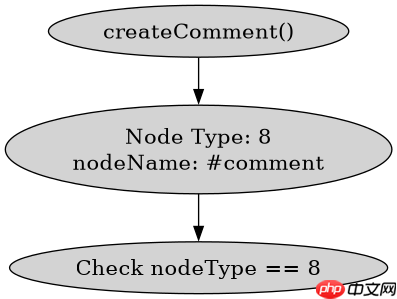
该方法返回的节点类型为 Node.COMMENT_NODE,其 nodeType 属性值为 8。与 createElement 不同,它不产生 HTML 标签,而是生成纯粹的注释数据块。开发者可以通过检查 nodeType 来区分普通元素和注释节点。
<script>
// 创建注释节点
const comment = document.createComment('这是一个测试注释');
console.log(comment.nodeType); // 输出: 8
console.log(comment.nodeName); // 输出: #comment
console.log(comment.nodeValue); // 输出: '这是一个测试注释'

// 获取 body 作为父容器
const parent = document.body;
parent.appendChild(comment);
</script>
如何确保注释节点被正确插入到指定位置
要将注释插入到特定子元素之前,需先获取参考节点,再调用 insertBefore(newNode, referenceNode)。若参考节点为空或未找到,则行为等同于 appendChild。此方法允许精确控制注释在 DOM 层级中的相对位置,常用于调试标记或条件渲染占位。

立即学习“Java免费学习笔记(深入)”;

<script>
const container = document.getElementById('container');
const target = container.querySelector('.target-element');
const newComment = document.createComment('Debug marker');

if (target) {
  container.insertBefore(newComment, target);
} else {
  container.appendChild(newComment);
}
</script>
基于 nodeValue 修改注释内容后 DOM 是否同步更新
直接修改已插入节点的 nodeValue 属性会实时反映在 DOM 树中,无需重新插入。浏览器引擎会自动追踪节点属性的变化,因此后续通过 outerHTML 或遍历查询时能读到最新值。这种即时性使得注释节点可作为轻量级的运行时状态标记。


















