使用 bufferedinputstream 的核心做法是将其包装在目标字节流(如 fileinputstream)外部,通过内部缓冲区减少底层 i/o 操作次数。只需实例化时传入原始流并指定缓冲区大小,即可实现高效读取。

如何正确关闭 BufferedInputStream 及其底层流
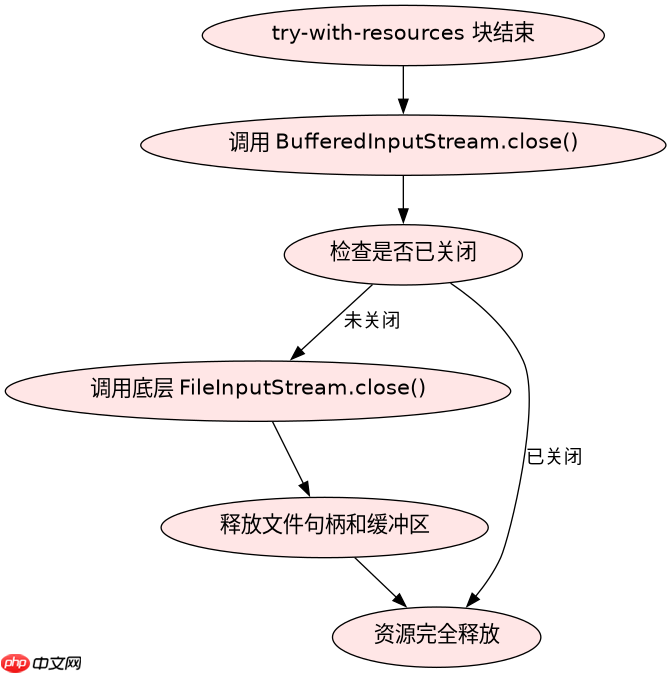
关闭 BufferedInputStream 会自动级联关闭其包装的底层流,无需手动分别关闭。调用 close() 方法后,所有关联资源将被释放。

import java.io.*;

public class Main {
    public static void main(String[] args) throws IOException {
        // 创建文件用于测试
        try (FileOutputStream fos = new FileOutputStream("test.txt")) {
            fos.write(new byte[]{65, 66, 67});
        }

        // 使用 try-with-resources 自动管理资源
        try (BufferedInputStream bis = new BufferedInputStream(new FileInputStream("test.txt"))) {
            int data;
            while ((data = bis.read()) != -1) {
                System.out.print((char) data);
            }
        } catch (IOException e) {
            e.printStackTrace();
        }
    }
}
缓冲区大小对性能的影响是什么
默认缓冲区大小为 8192 字节(8KB),增大缓冲区可减少系统调用次数但增加内存占用。对于大文件读取,适当调大缓冲区可提升吞吐量;小文件或频繁读写场景下默认值已足够。
立即学习“Java免费学习笔记(深入)”;

import java.io.*;

public class BufferSizeTest {
    public static void main(String[] args) throws IOException {
        String fileName = "large_test.bin";
        long fileSize = 10 * 1024 * 1024; // 10MB

        // 生成测试文件
        try (FileOutputStream fos = new FileOutputStream(fileName)) {
            byte[] buffer = new byte[1024];
            for (int i = 0; i < fileSize / 1024; i++) {
                fos.write(buffer);
            }
        }

        // 测试不同缓冲区大小的读取时间
        int[] sizes = {1024, 8192, 32768, 65536};
        for (int size : sizes) {
            long start = System.nanoTime();
            try (BufferedInputStream bis = new BufferedInputStream(
                    new FileInputStream(fileName), size)) {
                while (bis.read() != -1) ;
            }
            long end = System.nanoTime();
            System.out.printf("Buffer size %d: %.2f ms%n", size, (end - start) / 1e6);
        }
    }
}