








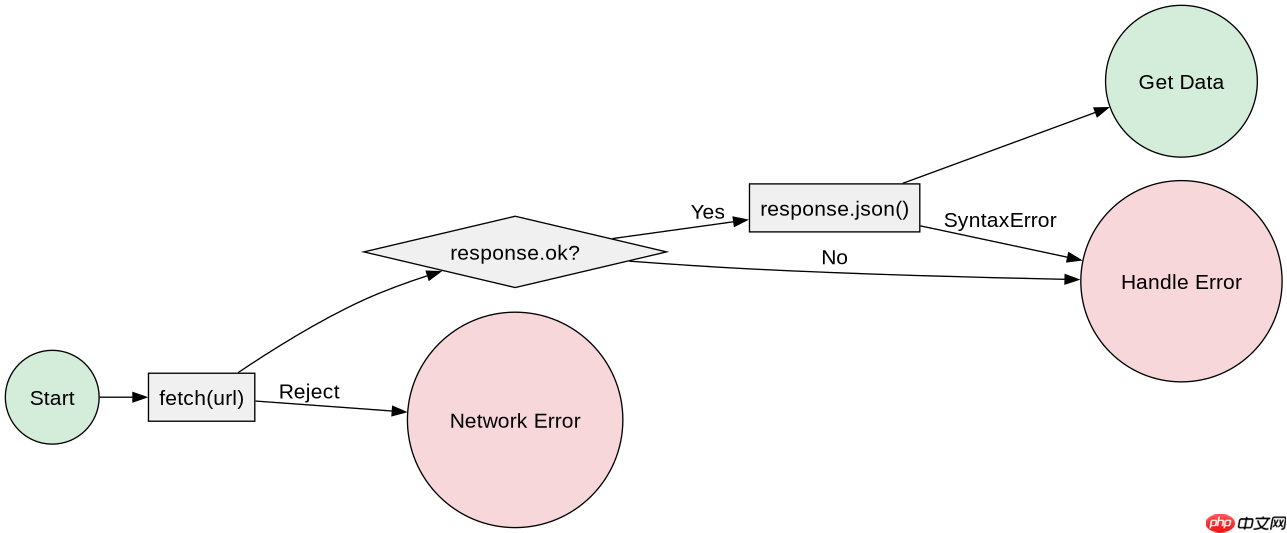
使用 fetch 发起请求后,调用返回的 response 对象的 .json() 方法即可处理接口返回的 json 数据。该方法会自动解析响应体并返回一个 promise,最终得到 javascript 对象或数组。若需处理错误,应在 try...catch 块中捕获网络异常或 json 解析失败的情况。
如何处理非 200 状态码的响应
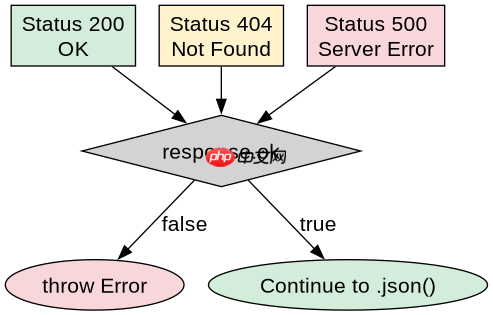
fetch 仅在网络故障时拒绝 Promise,HTTP 4xx 或 5xx 状态码仍被视为成功。因此必须显式检查 response.ok 属性,否则后续调用 .json() 可能会解析到错误信息而非业务数据。
const url = '/api/data';

async function fetchData() {
  try {
    const response = await fetch(url);

    if (!response.ok) {
      throw new Error(`HTTP error! status: ${response.status}`);
    }

    const data = await response.json();
    console.log('Parsed JSON:', data);
    return data;
  } catch (error) {
    console.error('Fetch failed:', error);
  }
}

fetchData();
如何获取原始响应头信息
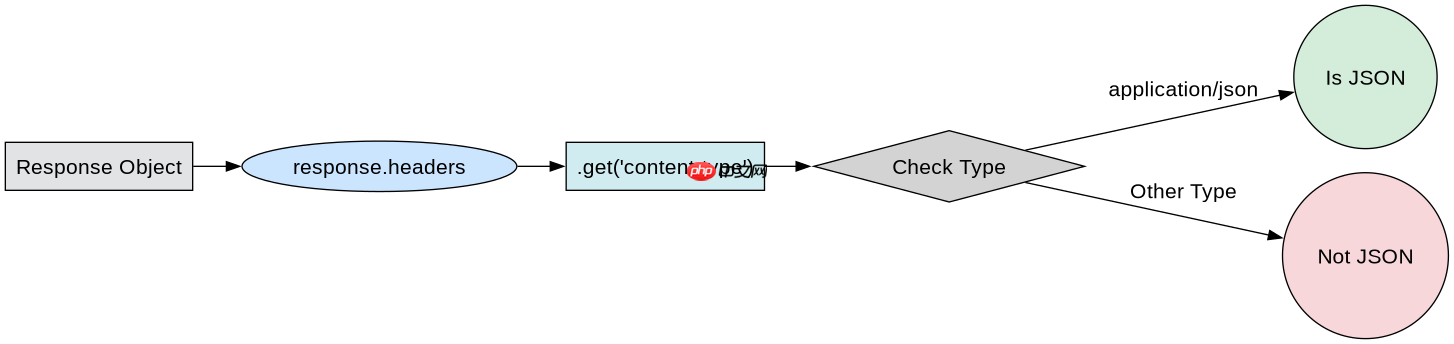
在解析 JSON 之前,可以通过 response.headers 对象访问响应头。该对象实现了 Headers 接口,支持 .get()、.has() 等方法查询特定头部字段,如 Content-Type 或自定义标识。

javascript-typescript-typescript-scaffold
下载
你是 TypeScript 项目架构专家,专注于脚手架搭建生产就绪的 Node.js 和前端应用。生成包含现代工具链(pnpm、Vite、Next.js)、类型
立即学习“Java免费学习笔记(深入)”;
const url = '/api/metadata';

async function fetchWithHeaders() {
  try {
    const response = await fetch(url);

    // 获取 Content-Type 验证是否为 JSON
    const contentType = response.headers.get('content-type');
    if (!contentType || !contentType.includes('application/json')) {
      throw new Error('Expected JSON response');
    }

    const data = await response.json();
    console.log('Data with header check:', data);
    return data;
  } catch (error) {
    console.error('Header validation failed:', error);
  }
}

fetchWithHeaders();
当接口返回空响应体时会发生什么
如果接口返回空响应体(如 HTTP 204 No Content),调用 .json() 会抛出 SyntaxError,因为无法解析空的 JSON 字符串。此时应先检查 response.status === 204 或 response.body 是否存在,再决定是否调用解析方法。


















