


Nginx为大屏可视化项目配置反向代理需三步:1. 用location /api/和/ws/分别代理API与WebSocket,启用HTTP/1.1升级头;2. 根路径用try_files支持history模式路由;3. 子路径部署时配合publicPath使用alias并修正兜底路径。
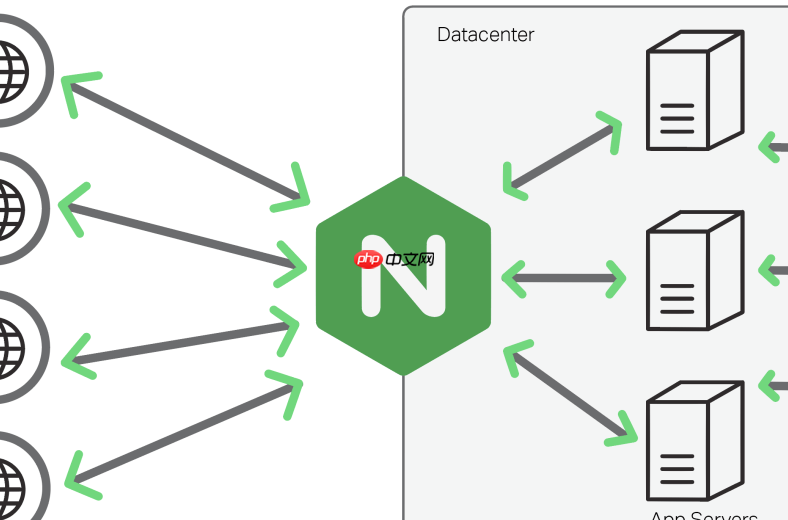
在 Nginx 中为大屏数据可视化项目配置反向代理,核心是处理好静态资源路径、WebSocket 连接(如图表实时刷新用的 socket)、API 接口转发,以及避免跨域和路径错位问题。这类项目通常基于 Vue/React + ECharts/AntV/D3,前端打包后走 history 模式或 hash 模式,后端可能有独立的数据接口服务(如 Flask/FastAPI/Node.js),还常依赖 WebSocket 实时推送数据。
1. 基础反向代理 + 静态资源服务
假设大屏前端打包产物放在 /opt/dashboard/dist,访问地址为 https://bigscreen.example.com:
server {
    listen 443 ssl;
    server_name bigscreen.example.com;
<pre class='brush:php;toolbar:false;'>ssl_certificate /path/to/cert.pem;
ssl_certificate_key /path/to/key.pem;

# 优先匹配 API 接口,避免被静态文件规则捕获
location /api/ {
    proxy_pass https://127.0.0.1:8000/;  # 后端数据服务
    proxy_set_header Host $host;
    proxy_set_header X-Real-IP $remote_addr;
    proxy_set_header X-Forwarded-For $proxy_add_x_forwarded_for;
    proxy_set_header X-Forwarded-Proto $scheme;
}

# WebSocket 支持(如使用 /ws/ 或 /socket.io/)
location /ws/ {
    proxy_pass https://127.0.0.1:8000/ws/;
    proxy_http_version 1.1;
    proxy_set_header Upgrade $http_upgrade;
    proxy_set_header Connection "upgrade";
    proxy_set_header Host $host;
}

# 根路径服务前端静态文件
location / {
    root /opt/dashboard/dist;
    try_files $uri $uri/ /index.html;  # 支持 history 模式路由回退
}
}
2. 处理前端路由 history 模式
若大屏项目使用 Vue Router 或 React Router 的 history 模式(URL 无 #),必须配置 try_files,否则刷新子页面(如 /screen/overview)会返回 404。Nginx 不知道这些路径是前端路由,需兜底到 index.html 让 JS 路由接管。

- 确保
location /块中包含try_files $uri $uri/ /index.html; - 不要写成
try_files $uri /index.html;(缺少$uri/会导致目录访问失败) - 如果部署在子路径(如
https://example.com/dash/),需配合前端publicPath和 Nginx 的alias或重写
3. 子路径部署(非根路径)的正确写法
例如项目需部署在 https://example.com/bigscreen/,前端构建时设置 publicPath: "/bigscreen/",Nginx 配置如下:
location /bigscreen/ {
    alias /opt/dashboard/dist/;
    try_files $uri $uri/ /bigscreen/index.html;
}
注意:alias 结尾要有 /,且 try_files 中的兜底路径要对应为 /bigscreen/index.html(不是 /index.html),否则静态资源(js/css)404。
4. 关键细节与避坑提示
-
API 前缀统一:前端请求接口统一加
/api/前缀,Nginx 用 location 精准拦截,避免误代理到静态资源 -
WebSocket 必须显式启用 upgrade:漏掉
proxy_http_version 1.1和Upgrade/Connection头会导致连接降级为轮询,实时性失效 -
超时调优:大屏常有长连接或大数据量图表导出,建议增加超时:
proxy_read_timeout 300;、proxy_send_timeout 300; - 跨域已无需前端处理:因所有请求都经 Nginx 代理,浏览器看到的是同源请求,不再触发 CORS
不复杂但容易忽略。配完记得 reload nginx 并检查 error.log,常见问题基本集中在路径映射错误、WebSocket 头缺失、或静态资源 MIME 类型未识别(可加 include /etc/nginx/mime.types;)。











