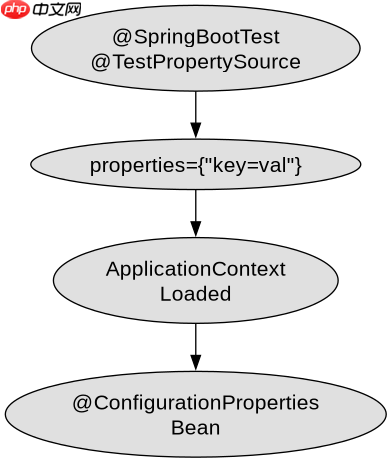
使用 @testpropertysource 注解可以覆盖应用配置值。在测试类上添加该注解并指定 properties 属性,传入键值对即可在测试运行时替换默认配置。
如何为特定测试类设置覆盖属性?
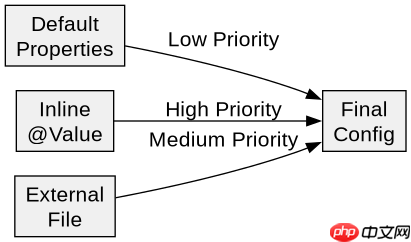
通过 @TestPropertySource(properties = {"key=value"}) 直接定义内联属性。这种方式优先级高于 application.properties,适用于需要临时修改单个值的场景。

JUnit 5.13.4
下载
JUnit 5.13.4 可用于旧项目兼容性排查;5.13 系列引入参数化测试类并改进测试发现诊断。该分支已不受支持,不建议用于生产项目;对应的 Platform 独立运行包为 1.13.4。
import org.junit.jupiter.api.Test;
import org.springframework.beans.factory.annotation.Autowired;
import org.springframework.boot.test.context.SpringBootTest;
import org.springframework.test.context.TestPropertySource;
import static org.junit.jupiter.api.Assertions.assertEquals;

@SpringBootTest
@TestPropertySource(properties = {
    "app.message=Overridden Message",
    "app.port=8081"
})
class ConfigOverrideTest {

    @Autowired
    private AppConfig config;

    @Test
    void testPropertyOverride() {
        assertEquals("Overridden Message", config.getMessage());
    }
}
如何从外部文件加载覆盖属性?
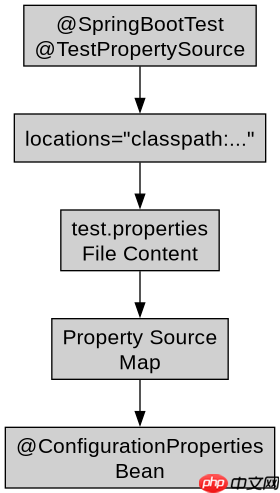
使用 @TestPropertySource(locations = "classpath:test.properties") 引用外部配置文件。这适合管理多个覆盖项,保持测试代码整洁。
import org.junit.jupiter.api.Test;
import org.springframework.beans.factory.annotation.Autowired;
import org.springframework.boot.test.context.SpringBootTest;
import org.springframework.test.context.TestPropertySource;
import static org.junit.jupiter.api.Assertions.assertEquals;

@SpringBootTest
@TestPropertySource(locations = "classpath:override.properties")
class ExternalConfigTest {

    @Autowired
    private AppConfig config;

    @Test
    void testExternalOverride() {
        assertEquals("From File", config.getMessage());
    }
}
当配置文件中存在相同键时,哪个值生效?
@TestPropertySource 定义的属性优先级最高。如果同时使用了内联属性和外部文件,内联属性会覆盖外部文件中的同名键。最终生效的是所有来源中优先级最高的那个值。