使用 for 循环遍历文件列表时,最稳健的做法是将通配符展开结果赋值给变量,并通过引号包裹变量来保留文件名中的空格。具体做法是编写 for file in "${files[@]}"; do ... done 结构,这样能确保每个文件路径作为独立参数传递给后续命令,避免因特殊字符导致的解析错误。

如何安全处理包含空格的复杂文件名
直接回答:在 Bash 中,通过数组存储通配符结果并引用数组元素,可以完美处理包含空格、换行符或特殊符号的文件名。核心在于使用 (*) 语法生成数组,并在循环中使用 "${array[@]}" 进行迭代,这比传统的字符串拼接方式更安全且符合现代 Shell 编程规范。
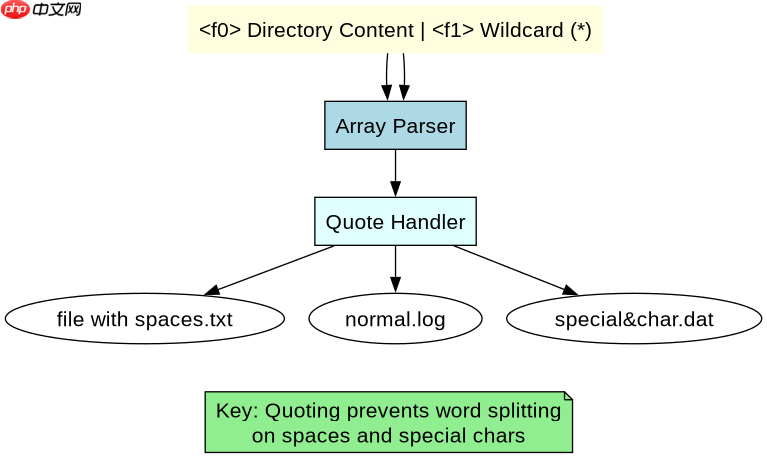
#!/bin/bash
# 创建测试环境
mkdir -p test_dir
touch "test_dir/file with spaces.txt"
touch "test_dir/normal.log"
touch "test_dir/special&char.dat"

# 核心逻辑:使用数组存储文件列表
files=(test_dir/*)

# 遍历数组
for f in "${files[@]}"; do
    # 检查是否为文件(排除目录)
    if [[ -f "$f" ]]; then
        echo "Processing: $f"
        # 这里可以执行 cp, mv, cat 等操作
        # 例如:cat "$f" | wc -l
    fi
done

# 清理测试环境
rm -rf test_dir
预期输出:
Processing: test_dir/file with spaces.txt
Processing: test_dir/normal.log
Processing: test_dir/special&char.dat
如何在遍历时过滤特定类型的文件
直接回答:可以在循环体内结合 case 语句或 [[ ... == *.ext ]] 模式匹配来过滤文件。这种方法允许在处理前对文件名进行条件判断,只针对符合扩展名要求的文件执行操作,从而避免对无关文件(如图片、二进制文件)进行不必要的文本处理。

#!/bin/bash
# 复用之前的测试文件
mkdir -p test_dir
touch "test_dir/report.txt"
touch "test_dir/data.csv"
touch "test_dir/image.png"

files=(test_dir/*)

for f in "${files[@]}"; do
    # 使用 case 进行多条件过滤
    case "$f" in
        *.txt|*.csv)
            echo "Text file found: $f"
            # 模拟处理:打印第一行
            head -n 1 "$f" 2>/dev/null || echo "(Empty or binary)"
            ;;
        *)
            echo "Skipping non-text file: $f"
            ;;
    esac
done

rm -rf test_dir
预期输出:
Text file found: test_dir/data.csv
(Empty or binary)
Text file found: test_dir/report.txt
(Empty or binary)
Skipping non-text file: test_dir/image.png
当文件列表为空时程序会如何表现
直接回答:如果目录下没有匹配的文件,Bash 的 for 循环默认会将通配符表达式本身作为唯一元素进行一次迭代。这意味着如果没有找到任何文件,循环体仍会执行一次,此时变量值为原始的通配符字符串(如 test_dir/*.txt),而非空值。必须在循环内增加 -e 或 -f 存在性检查,以防止对不存在的字面量路径进行操作报错。