PHP 8.6上的Symfony应用可用CollectionType接收可增删的明细行,让每个条目使用同一个表单类型完成字段映射和验证。下面针对已安装Form、Validator、Twig和CSRF支持的Symfony 8.1应用,只验证并返回明细数量,不直接写数据库。
定义每条明细允许的字段
在src/form/linetype.php定义条目类型。使用数组数据,避免示例额外引入实体关系;name与quantity之外的额外字段不放开接收。
<?php
namespace App\Form;
use Symfony\Component\Form\AbstractType;
use Symfony\Component\Form\FormBuilderInterface;
use Symfony\Component\Form\Extension\Core\Type\TextType;
use Symfony\Component\Form\Extension\Core\Type\IntegerType;
use Symfony\Component\Validator\Constraints as Assert;
final class LineType extends AbstractType {
    public function buildForm(FormBuilderInterface $builder, array $options): void {
        $builder->add('name', TextType::class, ['constraints' => [
            new Assert\NotBlank(), new Assert\Length(max: 80)]])
            ->add('quantity', IntegerType::class, ['constraints' => [
                new Assert\NotNull(), new Assert\Range(min: 1, max: 10000)]]);
    }
}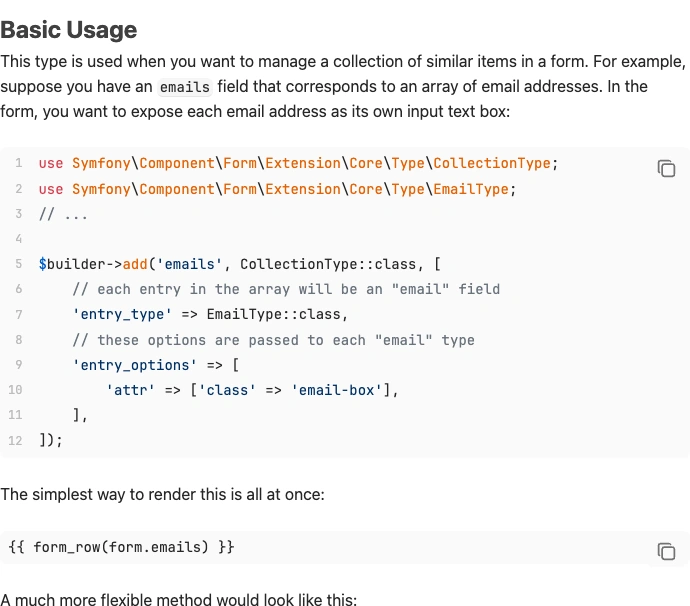
Symfony官方文档:集合条目类型和entry_options设置
在已有控制器中建立集合并处理提交
// In a controller extending AbstractController; $request is the current Request.
$submitted = $request->request->all('form');
if (isset($submitted['lines']) && (!is_array($submitted['lines'])
    || count($submitted['lines']) > 100)) {
    throw new \Symfony\Component\HttpKernel\Exception\BadRequestHttpException('Too many lines');
}
foreach (array_keys($submitted['lines'] ?? []) as $index) {
    if (!ctype_digit((string) $index) || (int) $index > 1000000) {
        throw new \Symfony\Component\HttpKernel\Exception\BadRequestHttpException('Invalid line index');
    }
}
$form = $this->createFormBuilder(['lines' => []])
    ->add('lines', \Symfony\Component\Form\Extension\Core\Type\CollectionType::class, [
        'entry_type' => \App\Form\LineType::class,
        'allow_add' => true, 'allow_delete' => true,
        'constraints' => [new \Symfony\Component\Validator\Constraints\Count(max: 100)],
    ])->getForm();
$form->handleRequest($request);
if ($form->isSubmitted() && $form->isValid()) {
    return $this->json(['acceptedLines' => count($form->getData()['lines'])]);
}
return $this->render('order/form.html.twig', ['form' => $form]);
把代码接到自己的GET/POST路由。条目字段使用form[lines][0][name]和form[lines][0][quantity]这类结构;新索引只有allow_add开启才会接收,缺失旧条目只有allow_delete开启才表示移除。保留应用的请求体大小和输入数量限制,不能只依赖提交后Count约束。

Build MCP servers and clients for PHP applications with the official PHP SDK
下载
使用官方Model Context Protocol PHP SDK将PHP应用程序功能暴露为MCP工具、资源和提示,用于代理工作流。
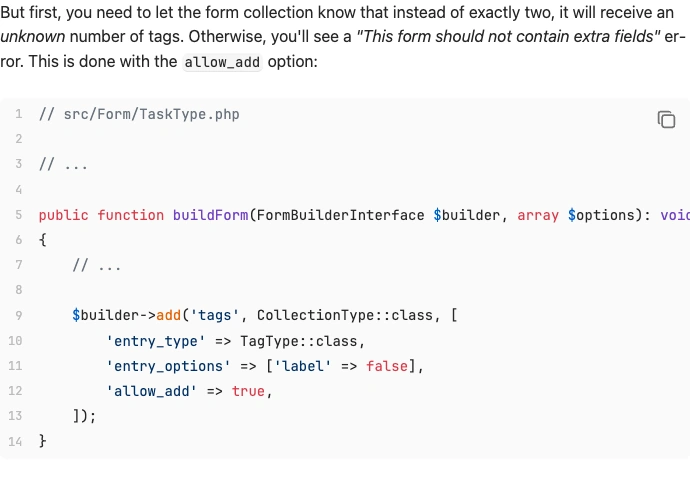
Symfony官方文档:CollectionType允许新增条目的配置
渲染原型并核对新增、删除和错误
{# templates/order/form.html.twig #}
{{ form_start(form) }}
{{ form_errors(form) }}
<div id="lines" data-next="{{ form.lines|length > 0 ? (form.lines|last).vars.name + 1 : 0 }}"
     data-prototype="{{ form_widget(form.lines.vars.prototype)|e('html_attr') }}">
{% for line in form.lines %}
  <div class="line">{{ form_row(line) }}<button type="button" data-remove>移除</button></div>
{% endfor %}
</div>
<button type="button" id="add-line">增加明细</button>
<button type="submit">校验</button>
{{ form_end(form) }}
// Put this in the page's loaded JavaScript file.
const holder = document.querySelector('#lines');
document.querySelector('#add-line').addEventListener('click', () => {
const i = Number(holder.dataset.next);
const row = document.createElement('div'); row.className = 'line';
row.innerHTML = holder.dataset.prototype.replace(/__name__/g, String(i));
const button = document.createElement('button'); button.type = 'button';
button.dataset.remove = ''; button.textContent = '移除'; row.append(button);
holder.append(row); holder.dataset.next = String(i + 1);
});
holder.addEventListener('click', e => {
if (e.target.matches('[data-remove]')) e.target.closest('.line').remove();
});动态原型来自服务端受控表单,不使用用户提供的HTML。检查空名称、非整数、超范围数量和多余字段均不能通过;验证失败时保留字段错误与CSRF字段。若改成Doctrine实体集合,另行配置adder/remover、by_reference与持久化关系,不能把本例的数组映射直接当成级联保存。
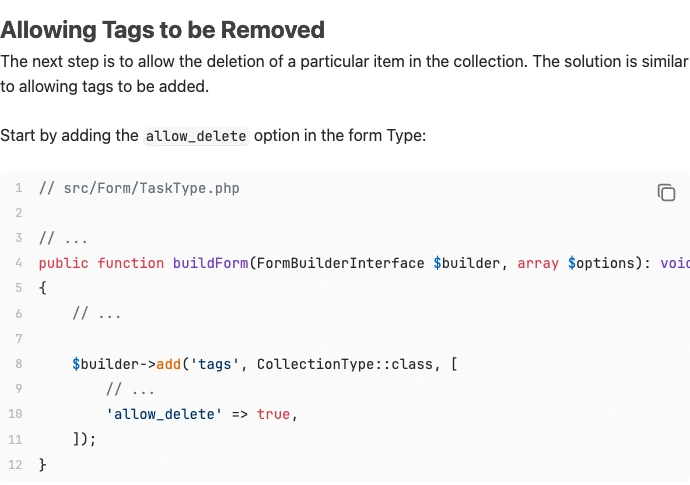
Symfony官方文档:CollectionType允许删除条目的配置