使用 mockmvc 构建请求的核心在于调用 perform() 方法并传入由 requestbuilder 接口实现的对象,通常通过 mockmvcrequestbuilders 工具类生成。你需要指定 http 方法(如 get、post)、url 路径以及可选的请求头、参数或请求体,最后通过 andexpect() 验证响应状态和结果。例如,调用 get("/api/users") 会创建一个针对该路径的 get 请求对象,直接传递给 perform() 即可发起模拟请求。

如何为 POST 请求添加 JSON 请求体与自定义 Header
在测试需要提交数据的接口时,应使用 post() 方法配合 content() 设置 JSON 字符串,并通过 header() 添加认证令牌等元数据。这种方式能精确模拟前端发送的复杂请求结构,确保后端控制器能正确解析 @RequestBody 和拦截器逻辑。关键在于使用 MediaType.APPLICATION_JSON_VALUE 声明内容类型,避免框架默认解析失败。
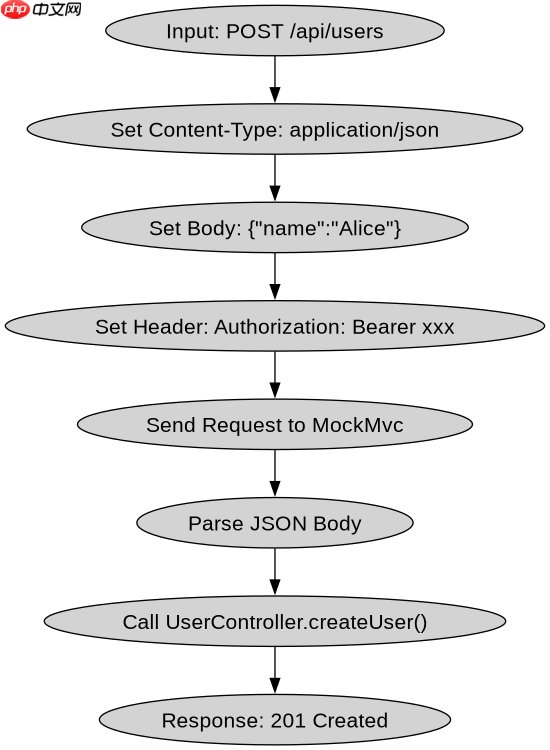
import org.junit.jupiter.api.Test;
import org.springframework.beans.factory.annotation.Autowired;
import org.springframework.boot.test.autoconfigure.web.servlet.WebMvcTest;
import org.springframework.http.MediaType;
import org.springframework.test.web.servlet.MockMvc;
import static org.springframework.test.web.servlet.request.MockMvcRequestBuilders.post;
import static org.springframework.test.web.servlet.result.MockMvcResultMatchers.status;

@WebMvcTest(UserController.class)
public class UserControllerTest {
    @Autowired
    private MockMvc mockMvc;

    @Test
    public void testCreateUser() throws Exception {
        String jsonBody = "{\"name\":\"Alice\",\"email\":\"alice@example.com\"}";

        mockMvc.perform(post("/api/users")
                .contentType(MediaType.APPLICATION_JSON)
                .content(jsonBody)
                .header("Authorization", "Bearer token123"))
                .andExpect(status().isCreated());
    }
}
如何处理请求参数中的特殊字符与编码问题
当 URL 查询参数包含中文或特殊符号时,param() 方法会自动进行 URL 编码,但需确保服务端解码一致。若手动拼接 URL,必须使用 URLEncoder.encode() 预处理,否则可能导致 400 错误。对于表单提交,推荐使用 params() 传入键值对数组,框架会按 application/x-www-form-urlencoded 格式序列化,无需手动处理编码细节。

立即学习“Java免费学习笔记(深入)”;

import java.net.URLEncoder;
import java.nio.charset.StandardCharsets;

@Test
public void testSearchWithSpecialChars() throws Exception {
    String query = "北京&上海";
    String encodedQuery = URLEncoder.encode(query, StandardCharsets.UTF_8);

    mockMvc.perform(get("/api/search")
            .param("q", encodedQuery))
            .andExpect(status().isOk());
}
基于请求头 Content-Type 导致解析失败的排查
若控制器期望 JSON 输入却收到 XML 或表单数据,将触发 HttpMessageNotReadableException。检查 contentType() 是否与控制器 @RequestMapping(produces = ...) 匹配。示例中若未设置 contentType(MediaType.APPLICATION_JSON),默认可能为 text/plain,导致 Jackson 反序列化失败。通过显式指定媒体类型可避免此类隐式转换错误。