


理解 datetime 格式化的核心在于区分“解析”与“格式化”两个方向,并掌握模式字符串中字母的含义。你需要明确输入是字符串还是对象,输出是字符串还是对象,然后选择对应的 parse 或 format 方法。关键在于使用正确的占位符,例如 yyyy 代表四位年份,mm 代表两位月份,dd 代表两位日期,以及 hh 代表24小时制时间。只要掌握了这些基本规则,就能处理绝大多数常见的日期转换需求。

如何正确解析不同格式的日期字符串
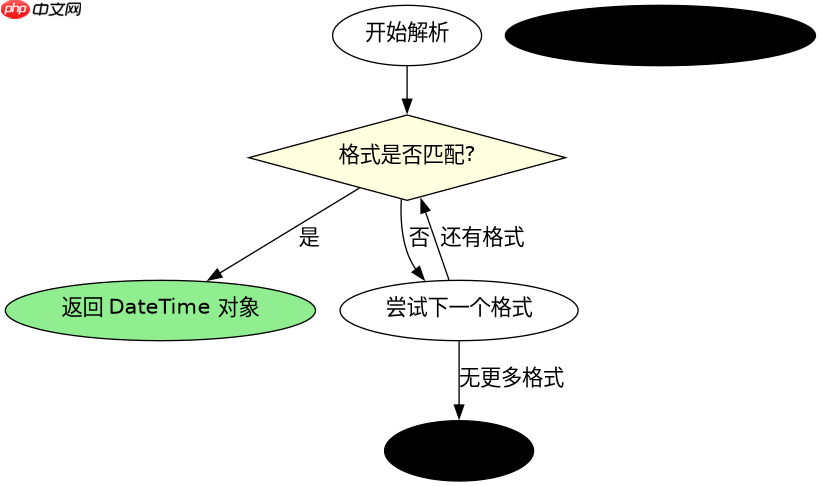
解析日期字符串时,必须确保格式模式与输入字符串严格匹配,否则会导致解析失败。对于标准格式如 yyyy-MM-dd,直接使用 DateTime.ParseExact 是最稳妥的方式。如果输入格式不固定,可以使用 DateTime.TryParse 配合多个格式尝试,或者依赖文化信息自动识别。关键是要注意月份和日期的位数,例如 M 可以匹配一位或两位月份,而 MM 强制要求两位。
using System;
using System.Globalization;

public class Program
{
    public static void Main()
    {
        string input = "2023-10-05";
        string format = "yyyy-MM-dd";

        // 精确解析
        DateTime dt = DateTime.ParseExact(input, format, CultureInfo.InvariantCulture);
        Console.WriteLine(dt); // 输出: 10/5/2023 12:00:00 AM (取决于当前Culture)

        // 尝试多种格式
        string[] formats = { "yyyy-MM-dd", "dd/MM/yyyy", "yyyyMMdd" };
        if (DateTime.TryParseExact("05/10/2023", formats, CultureInfo.InvariantCulture, DateTimeStyles.None, out DateTime result))
        {
            Console.WriteLine(result); // 输出: 10/5/2023 12:00:00 AM
        }
    }
}
如何将 DateTime 对象格式化为指定字符串
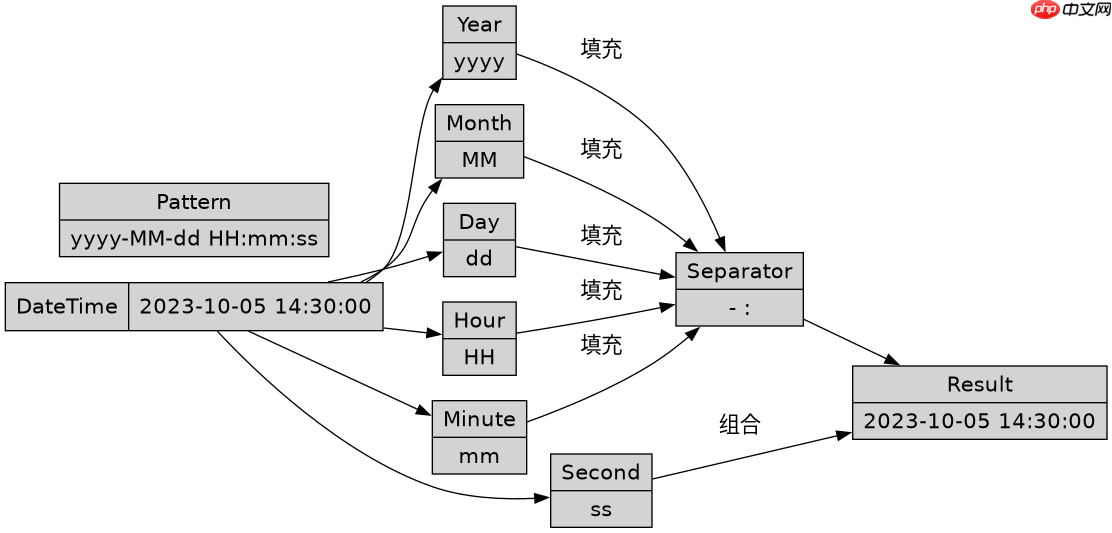
将 DateTime 对象转换为字符串时,使用 ToString 方法并传入自定义格式字符串。常用的格式包括 yyyy-MM-dd HH:mm:ss 用于完整时间戳,或 yyyy/MM/dd 用于简单日期。需要注意 HH 表示24小时制,hh 表示12小时制,且12小时制通常需要配合 tt(AM/PM)使用。此外,转义字符如单引号 ' 可用于在格式中插入文字。
using System;
using System.Globalization;

public class Program
{
    public static void Main()
    {
        DateTime now = new DateTime(2023, 10, 5, 14, 30, 0);

        // 格式化输出
        string formatted1 = now.ToString("yyyy-MM-dd HH:mm:ss", CultureInfo.InvariantCulture);
        Console.WriteLine(formatted1); // 输出: 2023-10-05 14:30:00

        string formatted2 = now.ToString("yyyy/MM/dd", CultureInfo.InvariantCulture);
        Console.WriteLine(formatted2); // 输出: 2023/10/05

        string formatted3 = now.ToString("yyyy年MM月dd日", CultureInfo.InvariantCulture);
        Console.WriteLine(formatted3); // 输出: 2023年10月05日
    }
}
当输入包含时区信息时如何处理
当输入的日期字符串包含时区信息(如 Z 或 +08:00)时,普通的 DateTime 类型无法直接存储时区数据,因为它只表示本地时间、UTC 时间或不确定的时间。此时应使用 DateTimeOffset 类型来保留完整的时区偏移量。如果使用 DateTime,可以通过 Kind 属性判断其是否为 UTC,并在转换时使用 ToUniversalTime 或 ToLocalTime 进行转换。在处理跨时区应用时,始终推荐使用 DateTimeOffset 以避免歧义。











