


Nginx 通过 fastcgi_bind 指令可强制指定发起 FastCGI 请求时的本地源 IP,需确保该 IP 已配置且可用,支持多后端不同出口、配合 PHP-FPM 访问控制提升安全性。
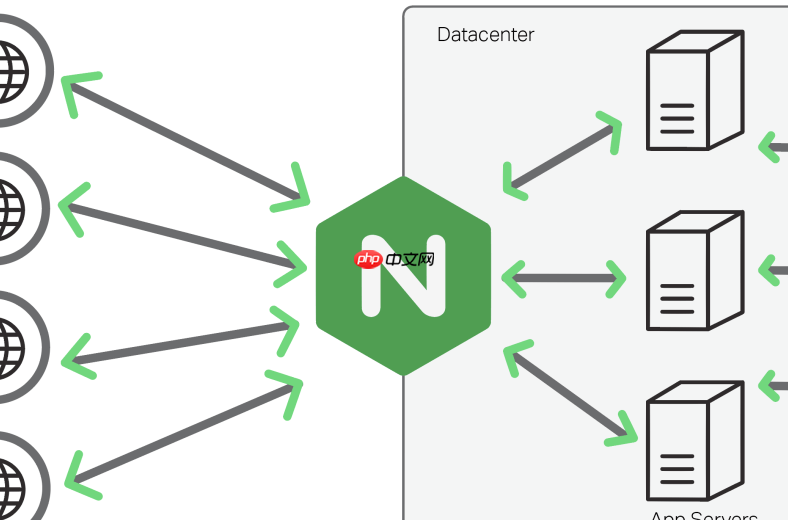
Nginx 本身不直接“绑定 FastCGI 连接的源 IP”,因为 FastCGI 是 Nginx 主动发起的上游通信(类似 proxy_pass),其出向连接的源地址由操作系统路由决策,但你可以通过 fastcgi_bind 指令强制指定——这和 proxy_bind 的原理与用法高度一致。
关键点在于:fastcgi_bind 控制的是 Nginx 发起 FastCGI 请求时使用的本地 IP 地址,适用于 PHP-FPM、Python uWSGI(若走 FastCGI 协议)等后端。它不改变监听行为,只影响“Nginx → FastCGI 服务”这一跳的源地址。
确保目标 IP 已就绪且可用
- 运行
ip addr show,确认你要绑定的 IP(如10.20.30.40)确实存在于某张网卡(如eth1)上,且状态为UP; - 该 IP 不能是
127.0.0.1或未配置的别名,也不能是 Docker 网桥或容器内部地址(除非 FastCGI 服务也在同网络平面); - 若使用虚拟接口(如
eth0:1)或策略路由环境,需确保内核能从该 IP 正确发出并回包(必要时调整rp_filter和添加对应路由)。
在 location 或 server 块中设置 fastcgi_bind
fastcgi_bind 可写在 http、server 或 location 块中,越靠近请求路径,优先级越高:
location ~ \.php$ {
    fastcgi_bind 10.20.30.40;
    fastcgi_pass 172.16.5.100:9000;
    fastcgi_index index.php;
    include fastcgi_params;
}
这样,所有匹配该 location 的 PHP 请求,都会从 10.20.30.40 这个 IP 发起 FastCGI 连接。
⚠️ 注意:
fastcgi_bind要求 Nginx ≥ 1.19.10;低版本不支持,会报错unknown directive "fastcgi_bind"。

多后端场景:不同 PHP-FPM 实例走不同出口 IP
如果多个 fastcgi_pass 目标需走不同物理线路(例如跨机房、白名单隔离),可为每个 location 单独指定:
location /app-a/ {
    fastcgi_bind 10.20.30.40;
    fastcgi_pass 172.16.5.10:9000;
    include fastcgi_params;
}

location /app-b/ {
    fastcgi_bind 10.20.30.41;
    fastcgi_pass 172.16.5.11:9000;
    include fastcgi_params;
}
无需额外策略路由,只要两个 IP 都已配置且可达,系统会自动按 fastcgi_bind 绑定的地址发包。
配合 PHP-FPM 端限制访问(增强安全)
FastCGI 是双向通信,光控制 Nginx 出口还不够。建议在 PHP-FPM 配置中也做反向约束:
- 编辑
/etc/php-fpm.d/www.conf:listen.allowed_clients = 10.20.30.40,10.20.30.41
- 或改用 socket 并设权限(更推荐):
listen = /run/php-fpm/app.sock
listen.owner = nginx
listen.group = nginx
listen.mode = 0660
这样既避免公网 IP 被误连,又规避了 TCP 层暴露风险。
不复杂但容易忽略














