




Nginx 无原生“节点存活率”,但可通过 nginx_upstream_check_module 主动健康检查(如 /health 接口+http_2xx 判断)+ check_status JSON 状态页,实时获取各节点 up/down 状态;再借助 curl/jq 或 Prometheus 计算存活率。
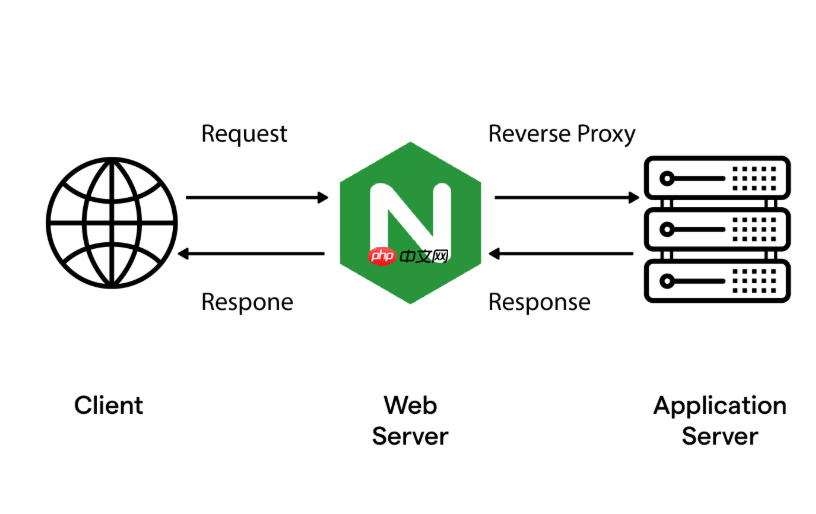
Nginx 本身不自带“节点存活率”这个统计值,但可以通过健康检查模块 + 状态页暴露 + 简单计算,实时掌握各节点是否在线、多久没失败、当前是否被标记为 down,从而间接反映存活状态。关键不是算百分比,而是让运维一眼看清谁健康、谁异常、何时变的。
启用主动健康检查并绑定真实业务状态接口
被动靠 max_fails 触发下线太滞后,必须用主动探测。推荐使用 nginx_upstream_check_module(OpenResty 默认含,或需手动编译):
- 在
upstream块中配置探测逻辑,例如:upstream api_backend { server 10.0.1.10:8080; server 10.0.1.11:8080; check interval=5 rise=2 fall=3 timeout=1 type=http; check_http_send "GET /health HTTP/1.1\r\nHost: api.example.com\r\n\r\n"; check_http_expect_alive http_2xx; default_down on; } -
rise=2和fall=3防抖动,避免网络瞬断误判; -
check_http_expect_alive http_2xx是重点:只认 2xx 为健康,拒绝把返回{"status":"DOWN"}或503 Service Unavailable的节点当活节点; -
default_down on表示启动时先标记为 down,等首次探测成功再上线,避免“假启动”。
配置可读的状态监控页面,直接显示每个节点实时状态
光有检查不行,得能看。用 check_status 指令暴露结构化数据:
location /status {
    check_status json;  # 输出 JSON,含 ip、port、status、rise/fall 计数、last_check_time 等
    allow 10.0.1.0/24;
    deny all;
}
访问 http://your-nginx/status 可得到类似:
{
  "servers": {
    "total": 2,
    "server": [
      {
        "index": 0,
        "upstream": "api_backend",
        "name": "10.0.1.10:8080",
        "status": "up",
        "rise": 5,
        "fall": 0,
        "type": "http",
        "port": 8080,
        "check_duration": 0.002,
        "check_status": "http_2xx"
      },
      {
        "index": 1,
        "upstream": "api_backend",
        "name": "10.0.1.11:8080",
        "status": "down",
        "rise": 0,
        "fall": 5,
        "type": "http",
        "port": 8080,
        "check_duration": 0.001,
        "check_status": "http_503"
      }
    ]
  }
}这个输出里,status 字段就是当前存活判断结果,“up”即存活,“down”即已剔除——这就是最直接的节点存活状态。
从状态页推导“存活率”的实用方法
虽然 Nginx 不输出 存活率 = up_count / total_count × 100%,但你可以:
- 手动快速心算:比如 5 个节点,JSON 显示 4 个
"status": "up",那就是 80%; - 写一行 curl + jq 快速统计:
curl -s http://localhost/status | jq '.servers.server[] | select(.status=="up")' | wc -l
再除以总数,就是当前存活率;
- 接入 Prometheus:用
nginx-module-vts或自定义 Lua exporter 抓取/status,提取upstream_down{server="10.0.1.11:8080"} 1这类指标,再用 PromQL 计算:100 * count(upstream_down == 0) by (upstream) / count(upstream_server) by (upstream)
就是按 upstream 分组的实时存活率。

补充:让状态更可信,避开常见陷阱
- 别用
/health路径却返回200 OK却内容是{"status":"DOWN"}—— 检查逻辑要进响应体,不是只看状态码;OpenResty 可用log_by_lua_block解析 JSON 并重设状态; - WAF 或网关可能拦截
/health,建议在后端加白名单,或额外配一条type=tcp探测兜底; -
interval=5太长?可压到2秒,但需确保后端/health接口轻量、无 DB 查询,否则反成压力源; - 状态页
/status不能暴露公网,务必限制allowIP 段,避免泄露集群拓扑。
不复杂但容易忽略











