


Nginx配置安全MIME映射的核心是可控引入默认映射(include mime.types)、显式补充修正(types块)、严格兜底(default_type),并经语法检查、重载与curl验证闭环确认。
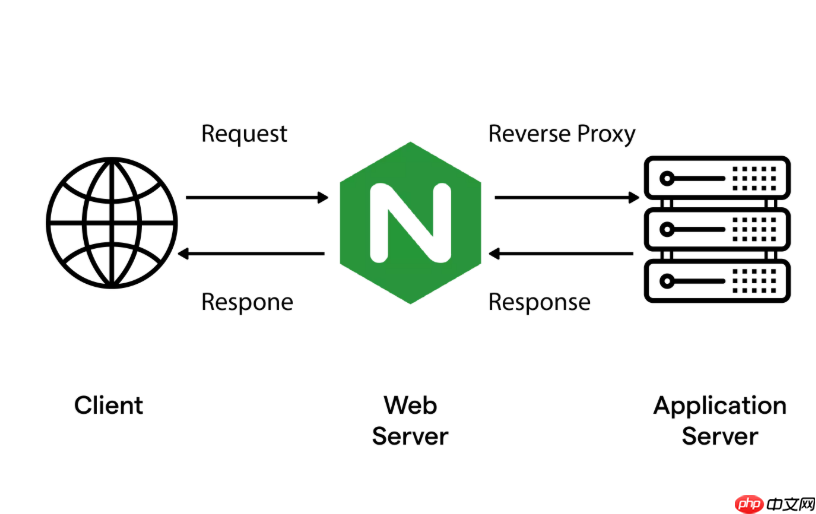
在 Nginx 中,通过 nginx.conf 设置特定 MIME 类型解析规则,核心是配置 types 块(或引入外部 types 文件)并确保 include mime.types; 生效,必要时可覆盖或补充默认映射。关键在于让 Nginx 能根据文件扩展名准确返回 Content-Type 响应头。
确认并启用 mime.types 配置
Nginx 默认通过 include mime.types; 加载标准 MIME 映射(通常位于 /etc/nginx/mime.types 或安装目录下的 conf/mime.types)。请检查主配置中是否已包含该行:
http {
    include       mime.types;
    default_type  application/octet-stream;
    # ... 其他配置
}若缺失,手动添加;若路径不同(如自定义路径),请写绝对路径,例如:include /usr/local/nginx/conf/mime.types;。
自定义或覆盖特定扩展名的 MIME 类型
有两类常用方式:

-
在
http块内直接追加types块:优先级高于外部mime.types,适合少量覆盖
http {
    include mime.types;
    types {
        text/plain txt log;
        application/wasm wasm;     # 添加 .wasm 支持
        application/json api json;  # 将 .api 也识别为 JSON
        text/x-markdown md;         # 支持 Markdown 渲染(需客户端配合)
    }
    # ...
}-
修改或扩展现有的
mime.types文件:适合长期维护或大量自定义,避免配置分散
例如,在 /etc/nginx/mime.types 的 types { ... } 块内添加一行:application/vnd.api+json json;,即可让 .json 文件在特定场景下返回更精确的类型(注意:多个类型映射同一扩展名时,Nginx 使用最后一个匹配项)。
针对 location 精确控制 MIME 类型
当需要对某类请求(如静态资源目录、API 路径)强制指定 MIME 类型,可用 add_header Content-Type 或 default_type,但注意:
-
add_header Content-Type "xxx"仅添加响应头,不改变 Nginx 内部的类型判断,且可能被后续配置覆盖 - 更可靠的方式是结合
types块 +default_type或使用map指令动态设置(高级用法) - 简单场景下,可在
location中重定义types:
location /assets/ {
    types {
        image/svg+xml svg;
        font/woff2 woff2;
    }
    # 此处 types 仅对该 location 生效(需 Nginx ≥ 1.10.0)
}
验证与调试技巧
修改后务必重载配置:nginx -t && nginx -s reload。验证方法:
- 用
curl -I https://example.com/test.json查看Content-Type响应头 - 访问一个不存在扩展名的文件(如
/test),观察是否回退到default_type - 检查错误日志:
tail -f /var/log/nginx/error.log,若 MIME 文件路径错误会报open() "/path/mime.types" failed
注意:MIME 类型设置不影响文件是否可访问,只影响响应头中的 Content-Type —— 这对浏览器解析、CORS、缓存策略和某些前端框架行为很关键。













