





<p>Nginx可通过自定义log_format与location正则匹配实现静态资源(如.js、.css、图片等)独立日志记录:在http块定义精简格式static,含$remote_addr、$request、$status等关键字段;在server块用location ~* .(js|css|png|jpg|...)$匹配后缀并指定access_log /var/log/nginx/static_access.log static;配合logrotate按日轮转保留30天。</p>
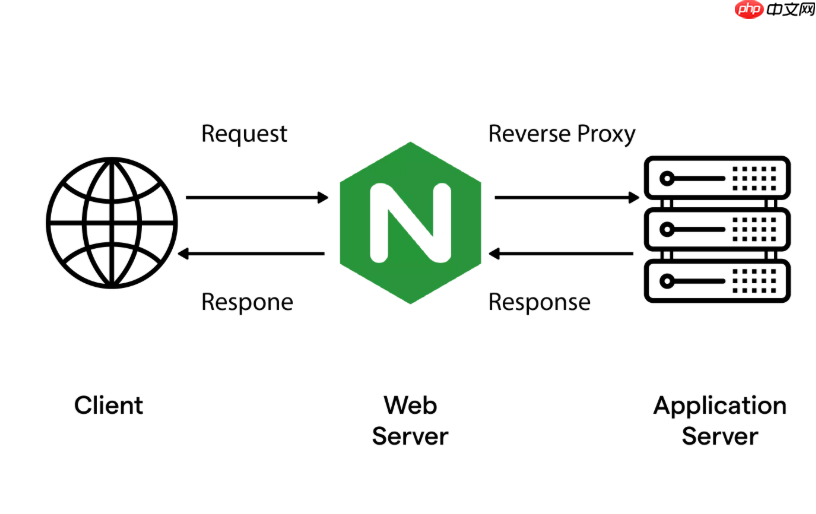
可以通过自定义 log_format 并结合 location 块精准记录静态资源(如 CSS、JS、图片等)的访问日志,避免污染主日志。
定义专用日志格式
在 http 块中添加一个专用于静态资源的日志格式,突出关键信息:
log_format static '$remote_addr - $remote_user [$time_local] '
                  '"$request" $status $body_bytes_sent '
                  '"$http_referer" "$http_user_agent" '
                  '$request_time $upstream_response_time';
说明:
• $request_time 记录 Nginx 处理该请求的总耗时(秒,精确到毫秒)
• $upstream_response_time 对静态文件无后端转发时为“-”,但保留它便于后续扩展对比
• 去掉 $http_cookie 等敏感或冗余字段,提升日志可读性与存储效率
匹配静态资源路径并启用日志
在 server 块中,用正则 location 精确捕获常见静态后缀,并指定使用刚才定义的格式:

location ~* \.(js|css|png|jpg|jpeg|gif|ico|svg|woff2?|ttf|eot|pdf)$ {
    access_log /var/log/nginx/static_access.log static;
    expires 1h;
    add_header Cache-Control "public, immutable, max-age=3600";
}
注意点:
• ~* 表示大小写不敏感匹配,覆盖 .JPG 或 .PNG 等变体
• 不要加 root 或 alias 在这个 location 里——静态文件路径应由更通用的 location / 或其他规则处理,此处只负责日志分流
• 若使用 CDN 或反向代理,可额外加 $http_x_forwarded_for 替代 $remote_addr 获取真实客户端 IP
分离日志文件并配置轮转
为避免静态日志快速增长影响主日志分析,建议独立存放并启用 logrotate:
- 确保日志目录存在:
mkdir -p /var/log/nginx - 赋予 Nginx 写入权限:
chown www-data:www-data /var/log/nginx/(根据实际用户调整) - 配置
/etc/logrotate.d/nginx-static:/var/log/nginx/static_access.log { daily missingok rotate 30 compress delaycompress notifempty create 0644 www-data www-data sharedscripts }
验证与调试技巧
上线前务必验证是否生效:
- 执行
nginx -t检查语法正确性 - 重载配置:
nginx -s reload - 触发一次静态资源访问(如
curl -I https://yoursite.com/style.css) - 检查日志文件是否生成且内容符合预期:
tail -n 1 /var/log/nginx/static_access.log - 若无输出,确认请求路径是否真被该
location匹配(可用error_log /var/log/nginx/debug.log notice;+nginx -t启用调试日志辅助排查)











