





Nginx自身无法监听文件变化自动重载,需借助inotifywait等工具监控静态目录变更后执行nginx -s reload实现平滑重载,但仅配置变更(如root、location)才需reload,静态资源更新无需reload。
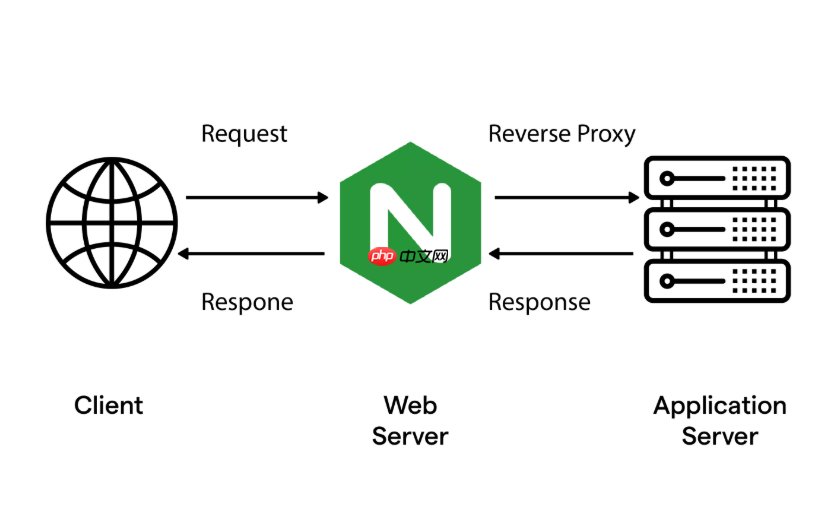
直接用 Nginx 自身无法监听文件变化并自动重载配置,但可以通过外部脚本(如 inotifywait + shell 或 Python)监控静态资源目录,检测到变更后触发 nginx -s reload 或更安全的平滑重载。关键在于:不直接 kill 进程,不破坏已有连接,且避免频繁重载。
监控静态目录变化并触发 reload
使用 inotifywait(来自 inotify-tools)持续监听目标目录的写入、移动、创建等事件,一旦捕获就执行 reload 操作:
- 确保已安装:
apt install inotify-tools(Debian/Ubuntu)或yum install inotify-tools(CentOS/RHEL) - 脚本示例(
/opt/bin/watch-static.sh):
#!/bin/bash
STATIC_DIR="/var/www/static"
NGINX_BIN="/usr/sbin/nginx"
CONFIG_FILE="/etc/nginx/nginx.conf"

while inotifywait -e create,modify,move,delete,attrib "$STATIC_DIR"; do
  echo "$(date): Static files changed, reloading nginx..."
  if $NGINX_BIN -t &> /dev/null; then
    $NGINX_BIN -s reload
  else
    echo "Nginx config test failed — skip reload"
  fi
done
赋予执行权限:chmod +x /opt/bin/watch-static.sh,然后后台运行:nohup /opt/bin/watch-static.sh > /var/log/nginx-watch.log 2>&1 &
避免重复 reload 和误触发
高频写入(如构建工具批量输出)易导致连续触发,需加简单防抖:

- 在 inotifywait 后加
sleep 0.5,再用timeout 2s inotifywait -q -t 1 ...控制等待窗口 - 改用单次监听 + 循环休眠方式,例如每 2 秒检查一次
find "$STATIC_DIR" -type f -newer /tmp/nginx-last-check 2>/dev/null | head -1,更新标记文件 - 跳过临时文件(如
*~、.swp、.git目录),可在 inotifywait 中用--exclude过滤
更健壮的替代方案:用 systemd 管理守护进程
将监控脚本作为 systemd service 运行,支持开机自启、崩溃自动重启、日志集成:
- 新建
/etc/systemd/system/nginx-watch.service:
[Unit]
Description=Nginx static file watcher
After=network.target nginx.service

[Service]
Type=simple
User=root
ExecStart=/opt/bin/watch-static.sh
Restart=always
RestartSec=5
StandardOutput=journal
StandardError=journal

[Install]
WantedBy=multi-user.target
启用服务:systemctl daemon-reload && systemctl enable --now nginx-watch.service
注意 reload 的实际影响与限制
nginx -s reload 是平滑重载:新 worker 进程启动,旧进程处理完现有请求后退出。但它不会重新读取静态文件内容——浏览器缓存、ETag、Last-Modified 均由响应头控制;真正需要“热更”的是资源内容本身,而非 Nginx 配置。
- 若只是更新 JS/CSS/图片,无需 reload Nginx,只需确保文件已落盘、权限正确、HTTP 缓存策略合理(如开发环境设
Cache-Control: no-cache) - 只有修改了 location、root、gzip、expires 等指令时,才需 reload 配置
- 生产环境慎用自动 reload,建议配合灰度发布或构建后手动验证再上线












