





Nginx 启用 GeoIP2 模块可实现基于国家/城市/时区的访问控制,需手动编译安装、配置 .mmdb 数据库、编写规则(如 if 或 map),并定期用 geoipupdate 更新数据库后重载 Nginx。
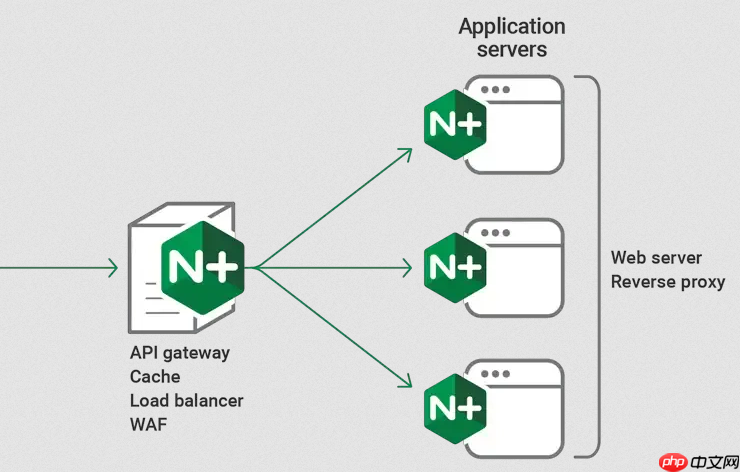
直接在 Nginx 配置中启用 GeoIP2 模块后,就能基于国家、城市甚至时区做访问控制,无需改业务代码,也不依赖前端判断。关键在于模块要装对、数据库要配准、规则要写得准。
确认环境与安装必要依赖
GeoIP2 不是 Nginx 自带模块,必须手动集成。先检查系统类型和已装 Nginx 版本:
-
Ubuntu/Debian:运行
sudo apt install libmaxminddb0 libmaxminddb-dev mmdb-bin git gcc make automake libtool pkg-config -
CentOS/RHEL:运行
sudo yum install libmaxminddb libmaxminddb-devel git gcc make automake libtool pkg-config - 务必验证
nginx -v输出版本 ≥ 1.18;旧版不兼容 ngx_http_geoip2_module - 宝塔用户注意:源码路径通常为
/www/server/nginx/src/,编译前先备份配置和当前 nginx 二进制文件
编译并加载 GeoIP2 模块
模块本身不随 Nginx 发布,需单独获取并参与编译:

- 从 GitHub 克隆稳定版本:
git clone https://github.com/leev/ngx_http_geoip2_module.git - 进入 Nginx 源码目录(如
/www/server/nginx/src/),执行 configure 命令,务必带上原有模块参数 + 新增模块路径:./configure --add-module=/path/to/ngx_http_geoip2_module [其他原有参数] - 执行
make(不要 make install),编译完成后替换原nginx二进制:cp objs/nginx /usr/local/nginx/sbin/nginx或宝塔对应路径 - 验证是否加载成功:
nginx -V 2>&1 | grep -o "geoip2"应有输出
配置 GeoIP2 数据库与基础规则
模块生效依赖 MaxMind 的二进制数据库(.mmdb 文件),推荐使用免费 GeoLite2-Country:
- 注册 MaxMind 账号,下载
GeoLite2-Country.mmdb,上传至服务器(例如/www/server/geoip2/GeoLite2-Country.mmdb) - 在
nginx.conf的http块中添加:
geoip2 /www/server/geoip2/GeoLite2-Country.mmdb {
    $geoip2_data_country_code source=$remote_addr country iso_code;
    $geoip2_data_country_name source=$remote_addr country names en;
}- 即可在
server或location中使用变量,例如只允许中国访问:
if ($geoip2_data_country_code != "CN") {
    return 403;
}- 也可组合使用:
map指令预定义区域白名单,再用allow/deny控制更灵活
日常维护与更新要点
GeoIP 数据会随网络分配变化而过期,必须定期更新:
- 安装
geoipupdate工具,配置/etc/GeoIP.conf填入 MaxMind 账号的 License Key 和产品 ID(如 GeoLite2-Country) - 设置定时任务,每周自动更新:
0 2 * * 0 /usr/bin/geoipupdate - 更新后需重载 Nginx:
nginx -s reload,确保新数据库立即生效 - 建议在日志中记录地理信息,便于后续分析:
log_format geo '$remote_addr - $remote_user [$time_local] "$request" $status $body_bytes_sent "$http_referer" "$http_user_agent" "$geoip2_data_country_code"'














