


Nginx应通过map指令按域名白名单条件注入CORS头,仅对预检OPTIONS请求返回204并设置Access-Control-Allow-Origin为可信源,禁止Origin: *配合credentials,所有add_header需带always标记。
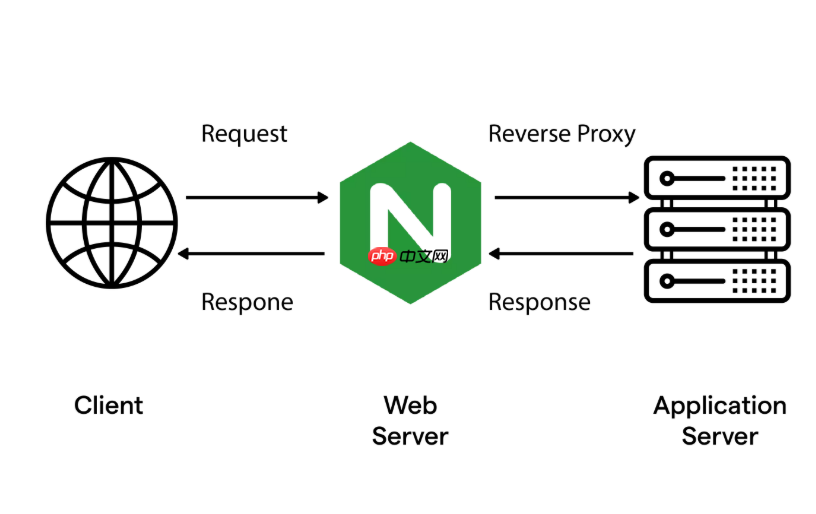
要让Nginx作为网关统一处理跨域请求,关键不是在每个location里重复加CORS头,而是用map指令+add_header做条件化注入,既安全又可维护。
明确哪些请求需要放行CORS
浏览器只对“非简单请求”(如带自定义Header、非GET/POST方法、Content-Type为application/json)预检OPTIONS,所以Nginx只需对这类请求返回合法CORS响应头,普通请求无需额外干预。
建议按来源域名白名单控制,避免使用Access-Control-Allow-Origin: *配合凭证(credentials),否则浏览器会直接拒绝。
- 用
map将$http_origin映射为可信源,匹配成功才启用CORS头 - 对
OPTIONS请求单独返回204,不转发给后端 - 始终设置
Access-Control-Allow-Credentials: true时,Allow-Origin不能为*
在http块中定义CORS变量
把跨域逻辑提到全局作用域,避免在server或location里重复写判断:
http {
    map $http_origin $cors_origin {
        default "";
        "~^https?://(localhost:3000|myapp\.example\.com)$" "$http_origin";
    }
<pre class="brush:php;toolbar:false;">map $request_method $cors_preflight {
    OPTIONS "true";
    default "";
}
}
这样$ cors_origin在匹配时存实际源地址,不匹配则为空字符串,后续add_header可据此跳过注入。
在server或location中注入响应头
在需要开放跨域的server块内添加:
add_header 'Access-Control-Allow-Origin' $cors_origin always;
add_header 'Access-Control-Allow-Credentials' 'true' always;
add_header 'Access-Control-Allow-Methods' 'GET, POST, OPTIONS, PUT, DELETE' always;
add_header 'Access-Control-Allow-Headers' 'DNT,User-Agent,X-Requested-With,If-Modified-Since,Cache-Control,Content-Type,Range,Authorization' always;
add_header 'Access-Control-Expose-Headers' 'Content-Length,Content-Range' always;
<p>if ($cors_preflight = "true") {
add_header 'Access-Control-Max-Age' 86400;
return 204;
}注意:add_header带always标记才能覆盖error_page或内部重定向场景;if块仅用于拦截预检,不建议在其中做复杂逻辑。
验证与调试技巧
用curl模拟跨域请求检查响应头是否生效:
curl -H "Origin: https://myapp.example.com" \
     -H "Access-Control-Request-Method: POST" \
-X OPTIONS -I http://your-gateway/api/users若返回204且含Access-Control-Allow-Origin,说明预检通过;再发真实请求,确认响应头一致且无重复。
常见问题:Chrome控制台提示“Credentials flag is true”但Origin为* → 检查$ cors_origin是否为空或误配;响应头没出现 → 确认add_header是否漏掉always,或被proxy_hide_header屏蔽。










