





跨域请求中前端无法读取Set-Cookie的根本原因是浏览器默认不发送凭据且服务端未显式允许;Nginx可作为反向代理透传并补充响应头(如Access-Control-Allow-Origin、Access-Control-Allow-Credentials、SameSite=None+Secure),但必须配合后端正确设置、预检OPTIONS处理及前端credentials: 'include'调用。
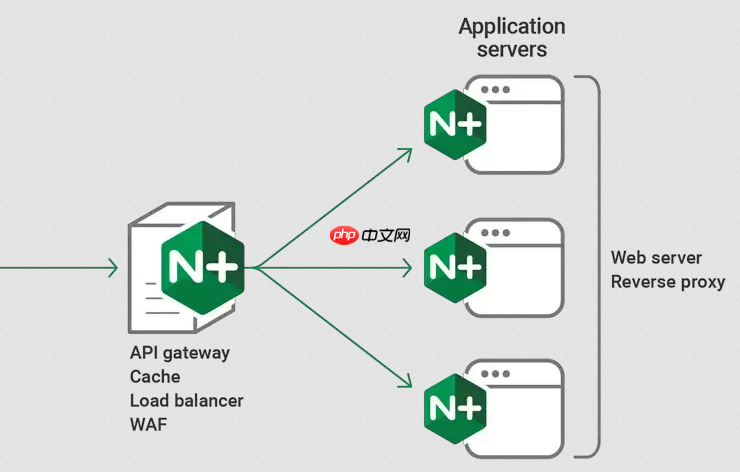
前端在跨域请求中无法读取 Set-Cookie,根本原因是浏览器默认不发送凭据(如 Cookie),且服务端未显式允许。Nginx 本身不处理 Cookie 的生成或校验,但可以作为反向代理,正确透传、设置或修正响应头,从而让跨域 Cookie 生效。
确保后端响应头正确设置
Nginx 不能替代后端设置关键响应头,必须先确认后端已返回以下头:
-
Access-Control-Allow-Origin:不能为*,需指定确切的前端域名(如https://example.com) -
Access-Control-Allow-Credentials:必须为true -
Set-Cookie:需包含SameSite=None和Secure(HTTPS 环境下必需)
例如后端应返回:
Access-Control-Allow-Origin: https://myapp.com
Access-Control-Allow-Credentials: true
Set-Cookie: sessionid=abc123; Path=/; HttpOnly; Secure; SameSite=None
Nginx 中透传并补充响应头
若后端未完全设置或被中间层覆盖,可在 Nginx 配置中强制添加/覆盖:
立即学习“前端免费学习笔记(深入)”;
- 用
add_header补充 CORS 头(注意:add_header不继承父块,需写在location内) - 用
proxy_pass_request_headers on(默认开启)确保请求头透传 - 用
proxy_cookie_path或proxy_cookie_domain修正 Cookie 路径或域名(常见于子域适配)
示例配置片段:
location /api/ {
    proxy_pass https://backend-server;
    proxy_set_header Host $host;
    proxy_set_header X-Real-IP $remote_addr;
<pre class="brush:php;toolbar:false;"># 强制设置跨域凭证支持
add_header 'Access-Control-Allow-Origin' 'https://myapp.com' always;
add_header 'Access-Control-Allow-Credentials' 'true' always;
add_header 'Access-Control-Allow-Methods' 'GET, POST, OPTIONS, PUT, DELETE' always;
add_header 'Access-Control-Allow-Headers' 'DNT,User-Agent,X-Requested-With,If-Modified-Since,Cache-Control,Content-Type,Authorization' always;

# 若后端设的 Cookie 域名为 backend.com,需重写为当前主站域名
proxy_cookie_domain ~\.?backend\.com$ myapp.com;
proxy_cookie_path /api/ /;
}
处理预检请求(OPTIONS)
带凭据的跨域请求(如含 withCredentials: true)会触发预检。Nginx 需直接响应 OPTIONS 请求,避免转发给后端:
- 在对应
location块内添加if ($request_method = 'OPTIONS')分支 - 返回 204,并带上所有必要的 CORS 响应头
- 确保
always标志用于add_header,否则 204 响应中头可能丢失
补充到上例中:
if ($request_method = 'OPTIONS') {
    add_header 'Access-Control-Allow-Origin' 'https://myapp.com' always;
    add_header 'Access-Control-Allow-Credentials' 'true' always;
    add_header 'Access-Control-Allow-Methods' 'GET, POST, OPTIONS, PUT, DELETE' always;
    add_header 'Access-Control-Allow-Headers' 'DNT,User-Agent,X-Requested-With,If-Modified-Since,Cache-Control,Content-Type,Authorization' always;
    add_header 'Access-Control-Max-Age' 86400 always;
    add_header 'Content-Length' 0 always;
    add_header 'Content-Type' 'text/plain; charset=utf-8' always;
    return 204;
}
前端调用必须启用凭据
Nginx 和后端配置再正确,前端未声明携带 Cookie,浏览器仍不会发送或保存:
- Fetch 请求需显式设置
credentials: 'include' - Axios 需配置
withCredentials: true - XMLHttpRequest 需调用
xhr.withCredentials = true
错误示例(不带凭据):
fetch('https://api.myapp.com/login', { method: 'POST' }) // ❌ 缺 credentials正确示例:
fetch('https://api.myapp.com/login', {
  method: 'POST',
  credentials: 'include', // ✅ 必须
  headers: { 'Content-Type': 'application/json' },
  body: JSON.stringify({ user: 'a', pass: 'b' })
})
只要后端生成合法 Cookie、Nginx 正确透传并补全响应头、预检响应到位、前端主动开启凭据,跨域环境下 Set-Cookie 就能被浏览器正常接收和后续自动携带。














