








Nginx中需按路径动态控制CORS:对/api/启用响应头,用location ^~ /api/配合add_header ... always;对敏感接口如/api/v1/users用location =精确匹配并覆盖为空;开发与生产环境通过map指令动态设置$cors_origin实现Origin适配。
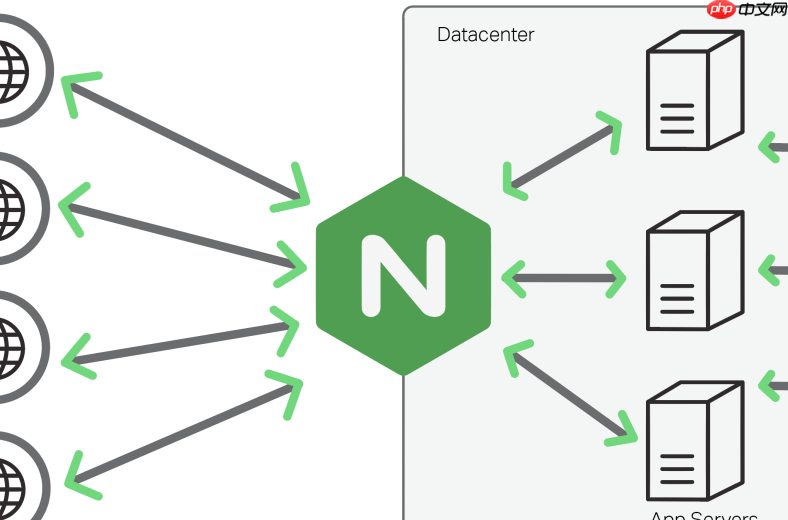
在 Nginx 中精准控制跨域(CORS)策略,关键不是全局开关,而是按 特定 API 路径 动态启用或禁用响应头。这样既能保障前端调用安全,又避免非 API 接口意外暴露 CORS 头。
只对 /api/ 开头的路径添加 CORS 响应头
这是最常见需求:让后端 API 支持跨域,但静态资源(如 /static/、/images/)不带 CORS 头。利用 location 前缀匹配 + add_header 实现:
location ^~ /api/ {
    add_header 'Access-Control-Allow-Origin' '$http_origin' always;
    add_header 'Access-Control-Allow-Methods' 'GET, POST, OPTIONS, PUT, DELETE' always;
    add_header 'Access-Control-Allow-Headers' 'DNT,User-Agent,X-Requested-With,If-Modified-Since,Cache-Control,Content-Type,Range,Authorization' always;
    add_header 'Access-Control-Expose-Headers' 'Content-Length,Content-Range' always;
    add_header 'Access-Control-Allow-Credentials' 'true' always;
<pre class="brush:php;toolbar:false;"># 预检请求直接返回 204,不转发给后端
if ($request_method = 'OPTIONS') {
    add_header 'Access-Control-Max-Age' 1728000;
    add_header 'Content-Type' 'text/plain; charset=utf-8';
    add_header 'Content-Length' 0;
    return 204;
}

# 正常请求代理到上游
proxy_pass http://backend;
proxy_set_header Host $host;
proxy_set_header X-Real-IP $remote_addr;
}
注意:add_header … always 是必须的,否则 Nginx 默认只对 2xx/3xx 响应添加头,而 204 不会继承;^~ 表示前缀匹配且优先于正则 location。
对某个具体接口(如 /api/v1/users)禁用 CORS
某些敏感接口需要禁止跨域访问,即使父路径 /api/ 已开启 CORS,也可用更精确的 location 覆盖:
# 先定义通用 /api/ 规则(如上)
location ^~ /api/ {
    # ... 通用 CORS 头
}
<h1>再单独禁用特定路径:清除已设的 CORS 头,并阻止 OPTIONS</h1><p>location = /api/v1/users {</p><h1>清除父级继承的 CORS 头(Nginx 不支持 remove_header,只能覆盖为空)</h1><pre class="brush:php;toolbar:false;">add_header 'Access-Control-Allow-Origin' '' always;
add_header 'Access-Control-Allow-Methods' '' always;
add_header 'Access-Control-Allow-Headers' '' always;

# 拒绝预检请求
if ($request_method = 'OPTIONS') {
    return 403;
}

proxy_pass http://backend;
}
说明:Nginx 没有 remove_header 指令,所以用 add_header xxx '' always 覆盖为空值;= 表示精确匹配,优先级高于 ^~,确保规则生效。
区分开发与生产环境自动适配 Origin
开发时允许 localhost:3000,生产只允许指定域名,避免硬编码。用 map 指令动态设置变量:
map $http_origin $cors_origin {
    default "";
    "~^https?://(localhost|127\.0\.0\.1):3000$" "$http_origin";
    "~^https://app\.mycompany\.com$" "$http_origin";
}
<p>server {
location ^~ /api/ {
add_header 'Access-Control-Allow-Origin' $cors_origin always;
add_header 'Access-Control-Allow-Credentials' 'true' always;</p><h1>其他 CORS 头...</h1><pre class="brush:php;toolbar:false;">}
}
原理:map 在请求阶段根据 $http_origin 匹配规则,把合法源赋给 $cors_origin;若不匹配则为空,Nginx 不发送 Access-Control-Allow-Origin 头(浏览器视为不允跨域)。
调试技巧:快速验证 CORS 是否生效
- 用 curl 检查响应头:
curl -I -H "Origin: https://example.com" https://yoursite.com/api/test,观察是否返回Access-Control-Allow-Origin - 在浏览器开发者工具 Network 标签中查看请求的 Response Headers,确认头存在且值正确
- 触发预检请求(如带 Authorization 或 Content-Type: application/json 的 POST),看 OPTIONS 请求是否返回 204 且含 CORS 头
- 故意发一个非法 Origin,确认响应中没有 CORS 头(或返回 403)

















